Issue 02/2017 © Continental Automotive 11
1.2 Display and operating elements for Digital
Tachograph
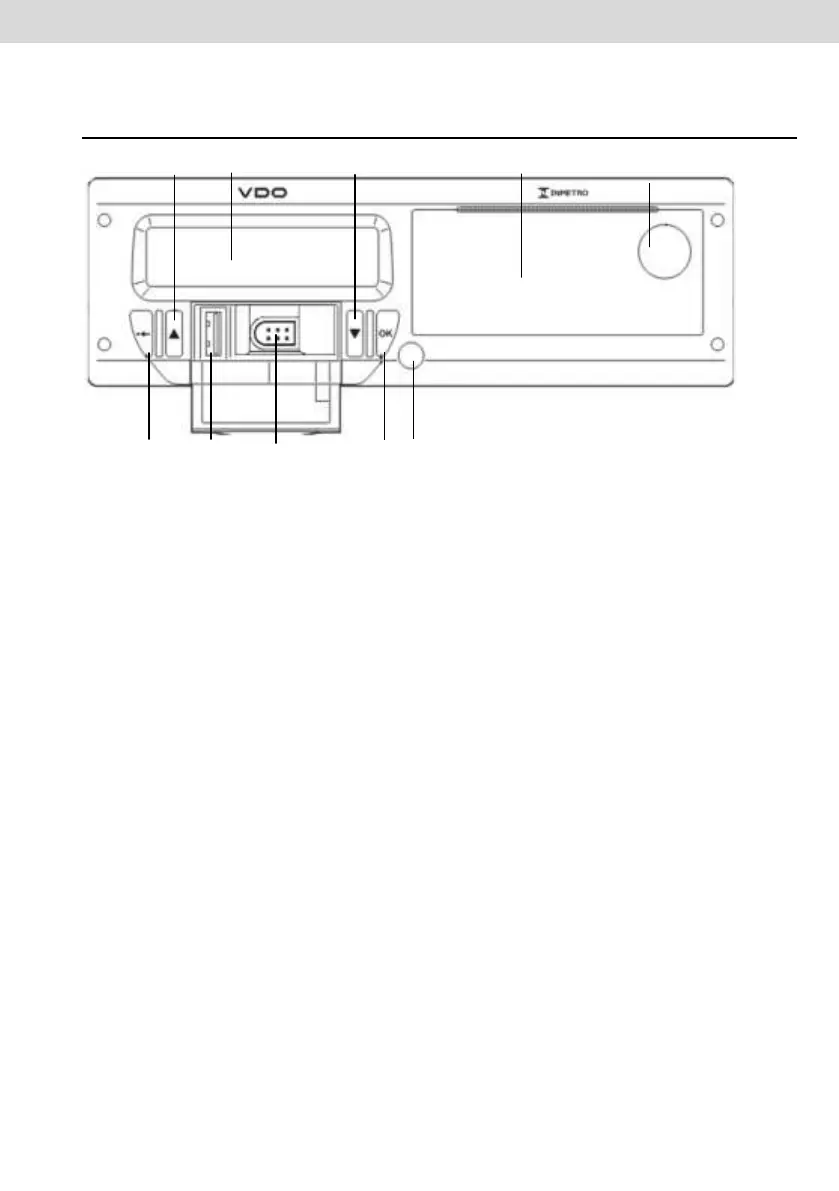
Figure 1.2.1 - Digital Tachograph Front Panel
Calibration and programming interface
Used for calibration and programming the digital tachograph.
LCD display
Indication Interface to driver. Features selection via the menu.
Navigation buttons
It allows you to access functions via tachograph menu.
Printer release button
Through the push of this button you can eject the printer compartment.
This button should not be pressed with the vehicle moving, only in case
of VDO paper change or positioning settings of it.
USB interface
Download BVDR data and / or identification of drivers.
Printer
Printed data extraction device. In the printer internal part is the product
identification label, which can be applied in two ways:



 To Next Page