34 © Continental Automotive Issue 02/2017
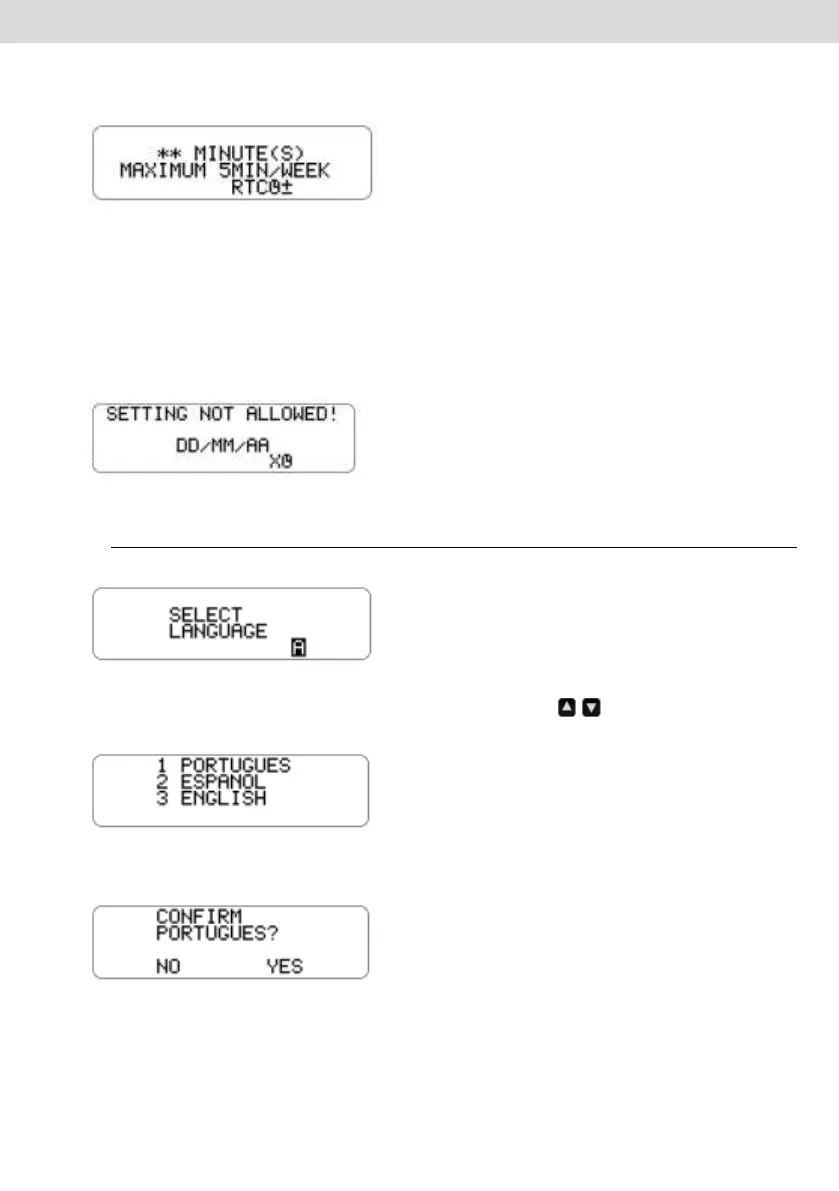
b) Select the clock setting menu. The BVDR will show on screen the option to
select the number of minutes you want to increment or decrement in the clock.
c) After minute(s) are selected, simply press OK to confirm the change and
BVDR will return to the main screen.
d) If you already made the clock setting and within a week another setting is
required, the BVDR will alert that will only be possible to change one week after
the last adjustment. And after 5 seconds will return to the main screen.
2.4.12 Select the language
a) This feature allows the operator to select which language is default in BVDR.
b) Select the language selection menu. BVDR will show on the screen a list of
the options for available languages. Use the keys, to scroll through the
language options:
c) After navigating to the desired language, press the OK button to select it. A
confirmation screen will be shown:
If Spanish is selected the following confirmation screen appears:



 To Next Page