36 © Continental Automotive Issue 02/2017
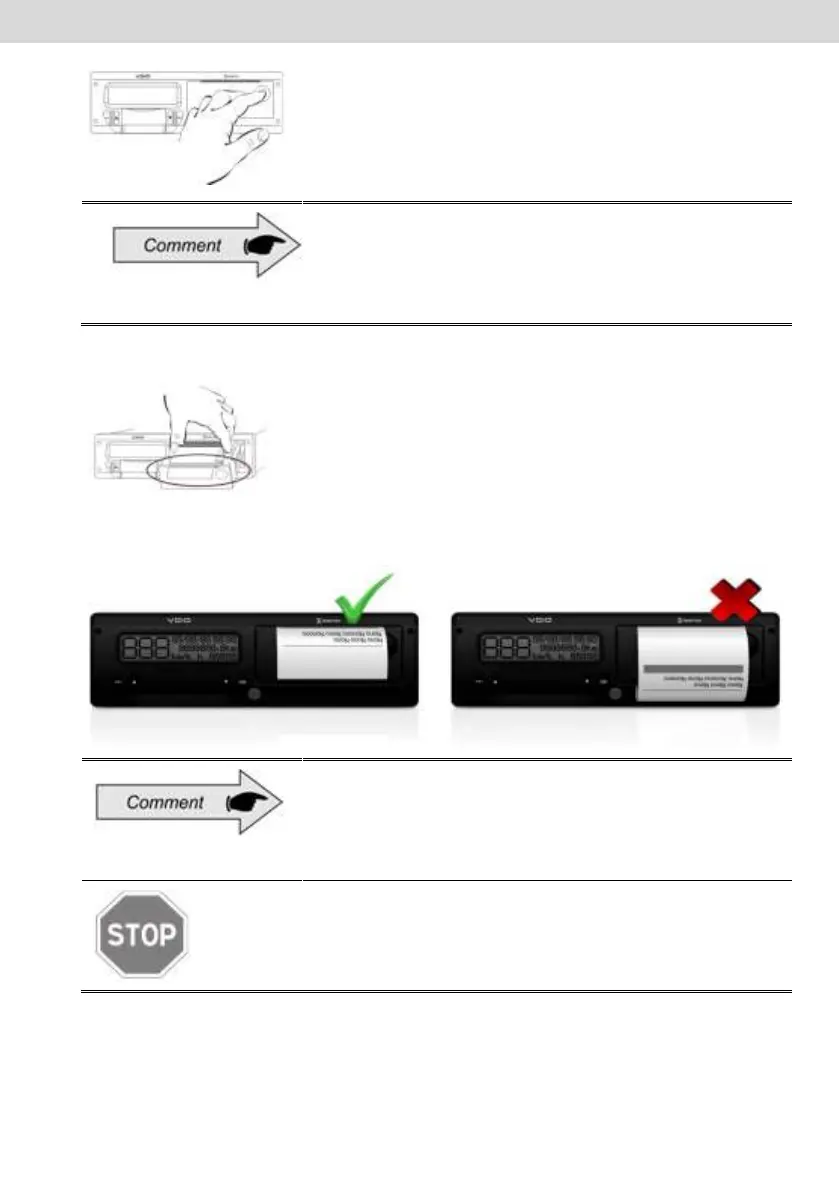
Figure 2.5.1.1
Always keep the drawer printer closed.
We recommend only opening the drawer at the time
of paper change.
Remove, if necessary, the old paper roll and place a new one according to
figure 2.5.1.2
Figure 2.5.1.2
In cases of pre-printed paper roll, make sure that the gray bar is inside the
drawer, after its closure.
For standard application, make sure the paper is not
trapped when placed in the drawer and prepress is
with the side up and ensuring that the tape gray
stripe is positioned correctly, see Figure 2.5.1.2.
As a thermal printer, in case of a printing sequence it
can heat up, causing the operator to run the risk of
burning itself in case of direct contact.



 To Next Page