Settings – my data
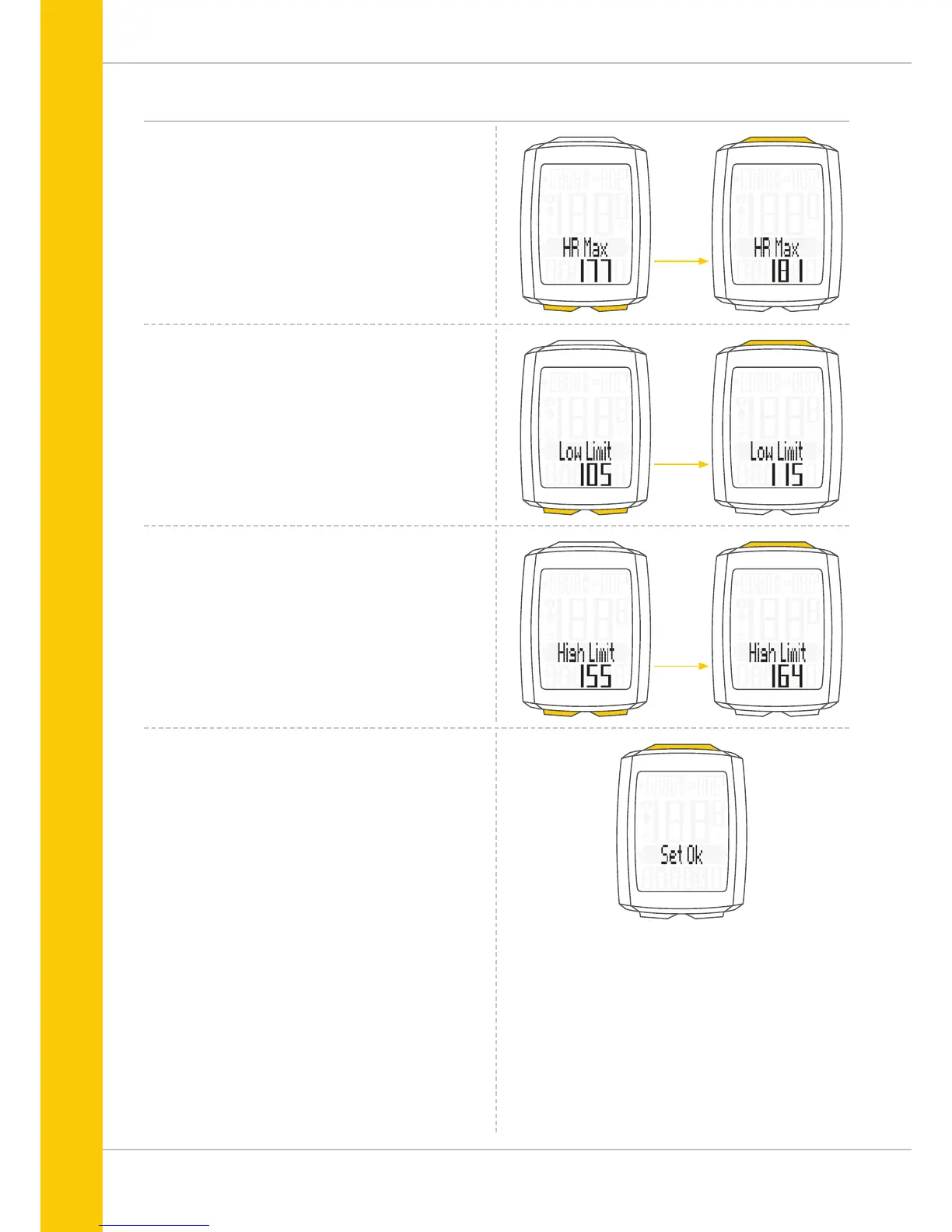
The calculated upper limit for your personal maximum heart
rate (HR max) is now displayed.
The calculated value flashes and can be changed.
Press the BIKE button to increase the value and the
TPC button to decrease the value.
Press the SET button to confirm the value you have set.
The value for the calculated upper limit of the training zone
Own is then displayed.
Press the BIKE button to increase the value and the
TPC button to decrease the value.
The calculated lower limit for the training zone Own is now
displayed.
Press the BIKE button to increase the value and the
TPC button to decrease the value.
Press the SET button to confirm the value you have set.
Press the SET button to confirm the value you have set.
The response “Set OK” appears on the display.
If you want to configure further settings,
press the BIKE button to access these.
If you do not want to configure any further settings,
press and hold the SET button.
The settings menu closes.
The VDO M5 returns to function mode.



 To Next Page