Activating the cadence option
The VDO M5 can also display the cadence.
ATTENTION: to display the cadence, the VDO cadence
transmitter, product no. CP3012, must be installed.
The cadence option must be activated in the settings.
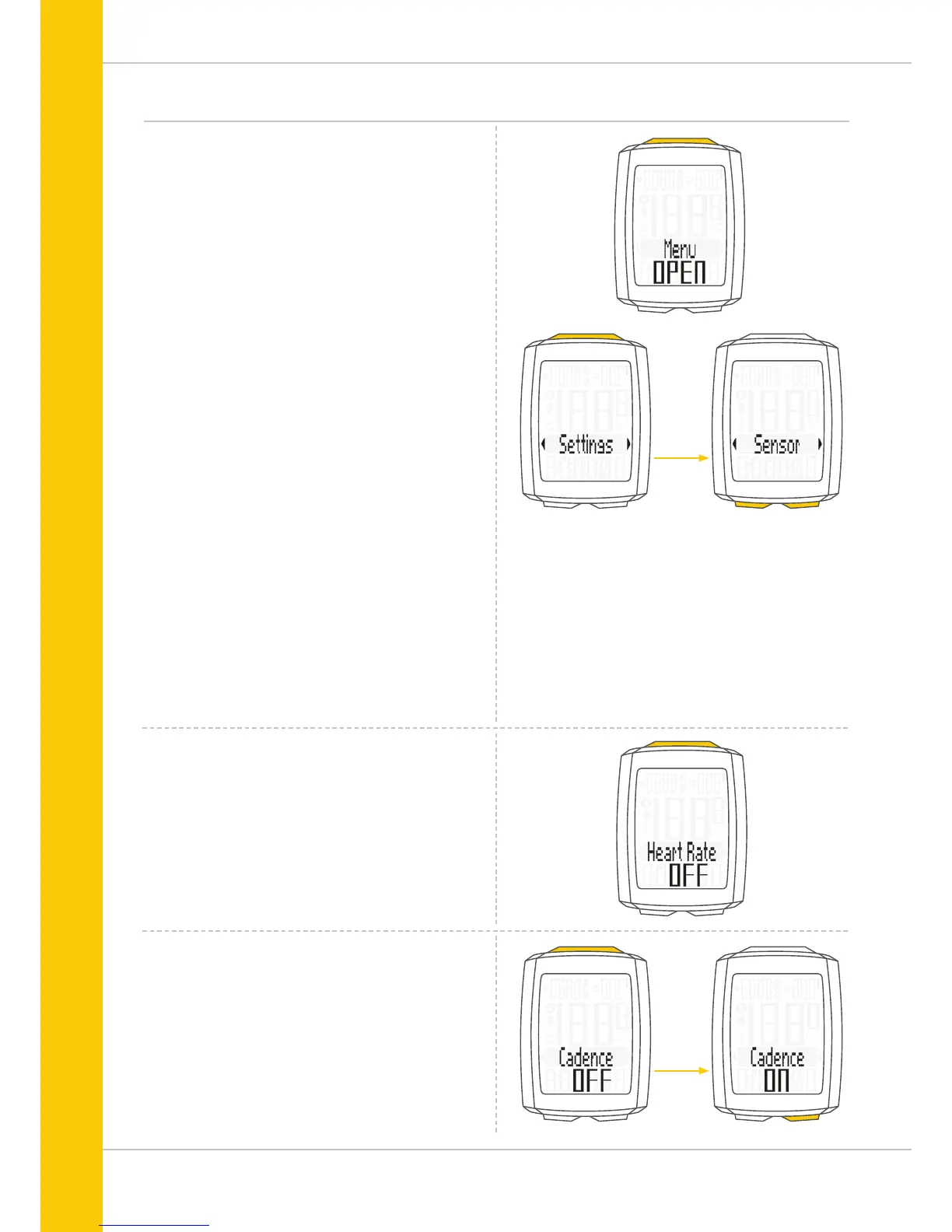
How to activate the cadence option:
Press and hold the SET button until the settings menu
opens.
Press the BIKE button to move from Totals to Settings.
Press the SET button to open the settings.
“Language” appears on the display.
Press the BIKE or TPC button to scroll to the setting for the
Sensor.
Press the SET button to open the setting for the sensors.
Press theSET button to confirm HR OFF.
You can now press the BIKE button to activate the cadence.
Press the Bike button to switch from OFF to ON.
Press the SET button to confirm your selection.
The cadence option is now activated.



 To Next Page