EMR
3
Setup and Operation Manual Display Head
4
Display Head
The EMR
3
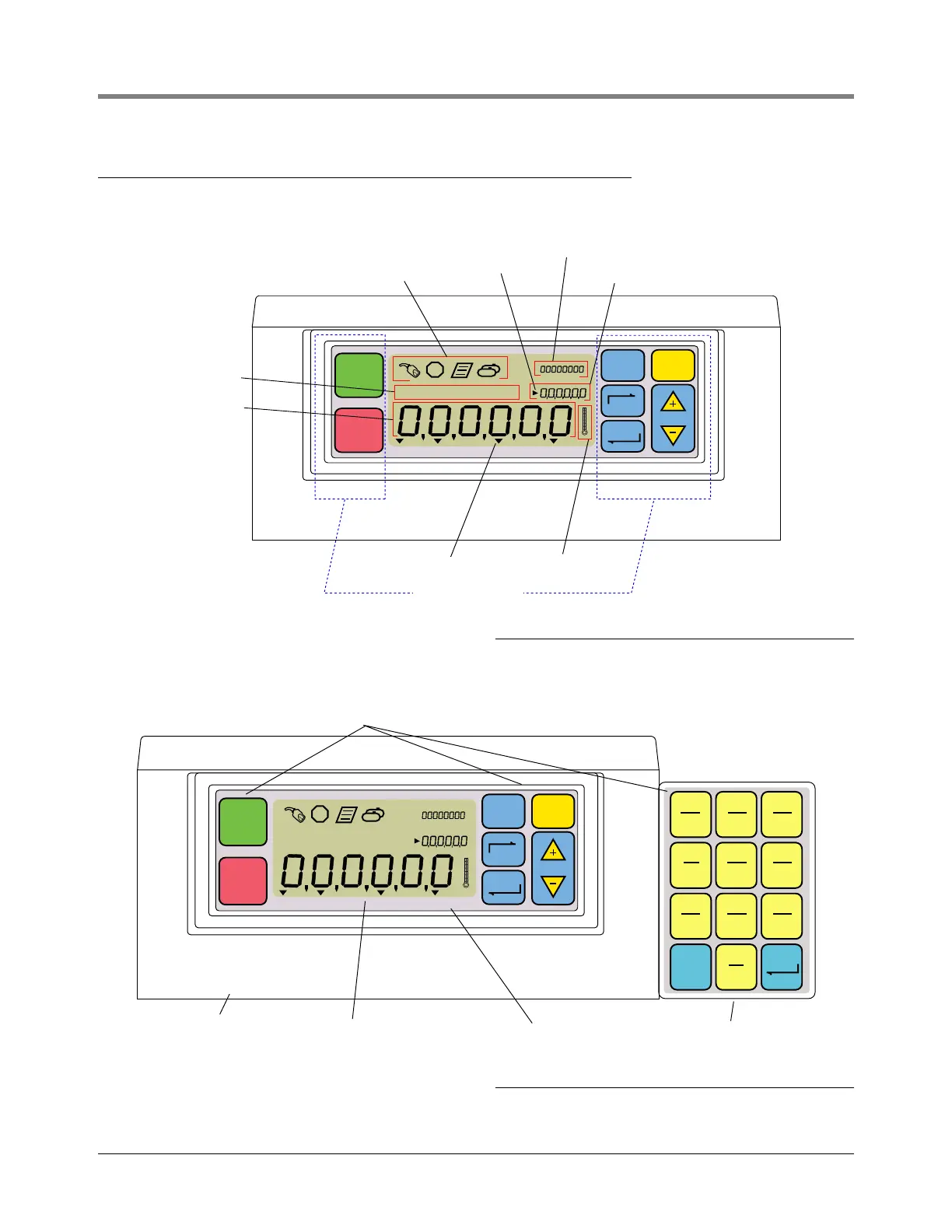
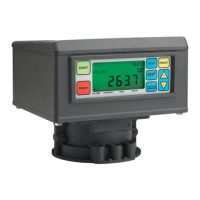
Display Head display features are shown in Figure 1 and Figure 2.
Figure 1. Display Head Features
Figure 2. Display Head with Optional Keypad
START
FINISH
MODE PRESET
NEXT
ENTER
VOLUME CURRENCY RATE SETUP
VEEDER ROOT CO
emr/3.1/eps
Operating Icons
Preset Indicator
Temperature Icon
Mode Indicator
Preset Field
Grand Totalizer Field
escriptor Field
Register Field
Standard Keypad
START
FINISH
MODE PRESET
NEXT
ENTER
VOLUME CURRENCY RATE SETUP
VEEDER ROOT CO
mr/3.2/eps
Cast Housing
Membrane Front Panel
Optional Keypad
Tactile Feel Buttons
ENTERCLEAR
(EXT)
0
ABC
2
DEF
3
MNO
6
WXY
9
JKL
5
TUV
8
GHI
4
PRS
7
QZ
1


 To Next Page