51
6Setupwiththedisplayandadjustmentmodule
MINITRAC 31 • Foundation Fieldbus
41782-EN-211203
theadjustmentofthesensorwithfullstatus(covered)andwithempty
status(uncovered).
Hence,youwillgetaveryreliableswitchingpoint.
Withsinglepointadjustment,youhavetodenethedierence
betweenthemin.andmax.adjustmentpoints(DeltaI)yourselfduring
thefollowingsetup.
This menu item appears only if you have selected " Single point
adjustment"asadjustmentmode(Setup-Adjustmentmode).
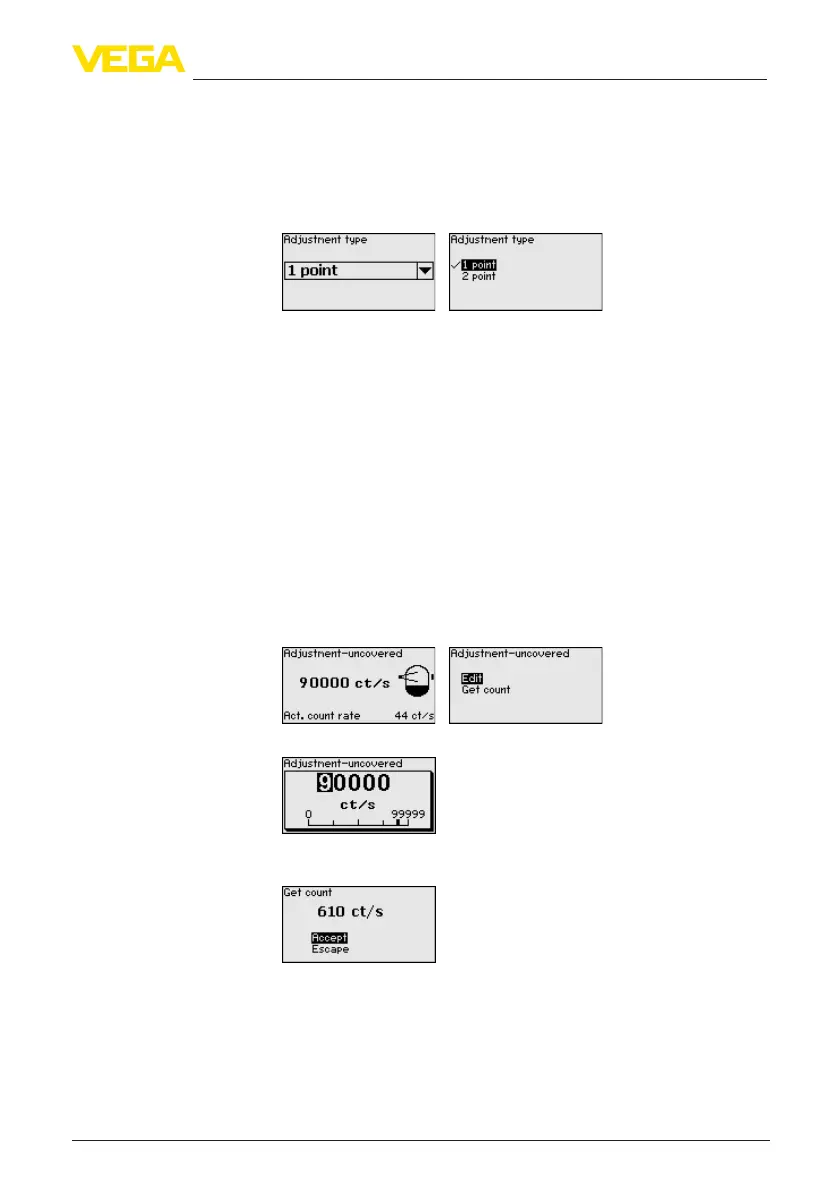
InthismenuitemyoudeterminethepointatwhichtheMINITRAC31
shouldswitchinuncoveredstatus.
Empty the vessel until the sensor is uncovered.
For this enter the requested pulse rate manually or let the rate be
determined by MINITRAC 31. Automatic determination of the pulse
rate should be given preference.
Thecountrateisstatedinct/s.Thisisthenumberofcountspersec-
ond, i.e. the measured radioactive radiation dose actually reaching
the sensor.
Prerequisites:
•
Radiationisswitchedon-Sourcecontainerissetto"ON"
•
Thereisnomediumbetweensourcecontainerandsensor
You can enter the value for " Adjustment uncovered"(ct/s)manually.
You can have the value for " Adjustment uncovered" determined by
MINITRAC 31.
This menu item appears only if you have selected " Single point
adjustment"asadjustmentmode(Setup-Adjustmentmode).
Inthismenuitemyoucanadjustatwhichpercentagevalueofthe
max.pulseratethesensorshouldswitchover.
Adjustment "uncovered"
(single point adjustment)
Delta I (single point ad-
justment)



 To Next Page
 Loading...







