Power 7 Technology Corporation – Wi-Fi SD/USB Users Manuals v1.0
29
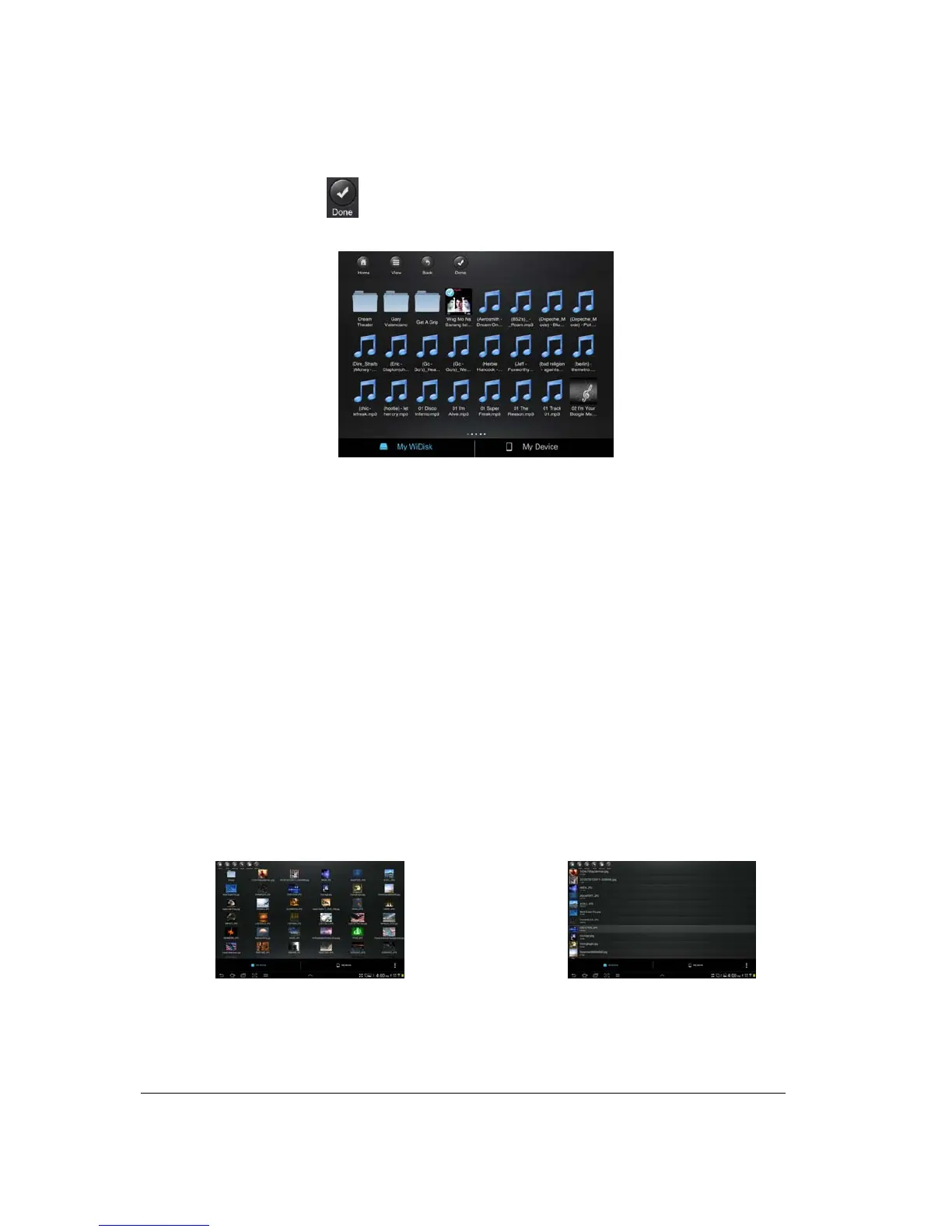
• Select button - search and locate the file or files that you would like to play as the background
music. Click on the
button to return to the slideshow as seen on the screenshot below.
• Repeat button – the background music will continue playing the same music when it is
switched-on. By default, this option is switched-off.
10.7. Viewing/playing photos (Android only)
Tip: It is highly recommended to create a folder or folders where to copy all your photos into the
Wi-Fi SD/USB for ease of use and file organization.
Note: The Wi-Fi SD/USB currently supports .jpg, gif and .png images.
The supported images can be viewed as thumbnails or as a list as seen on the screenshot below.
Any photos that are not supported can be viewed as a generic thumbnail or icon.
To view a photo, simply click on the photo icon or file name as seen on the screenshot below. You can
Thumbnail view
List view



 To Next Page