SETUP
Micro SD Card
22 M400 INSTALLATION GUIDE
Supported ICE Cube
Configurations
The currently supported ICE cubes configurations are:
Micro SD Card
M400 supports micro SD for additional memory.
Installing or
Replacing Micro SD
Card
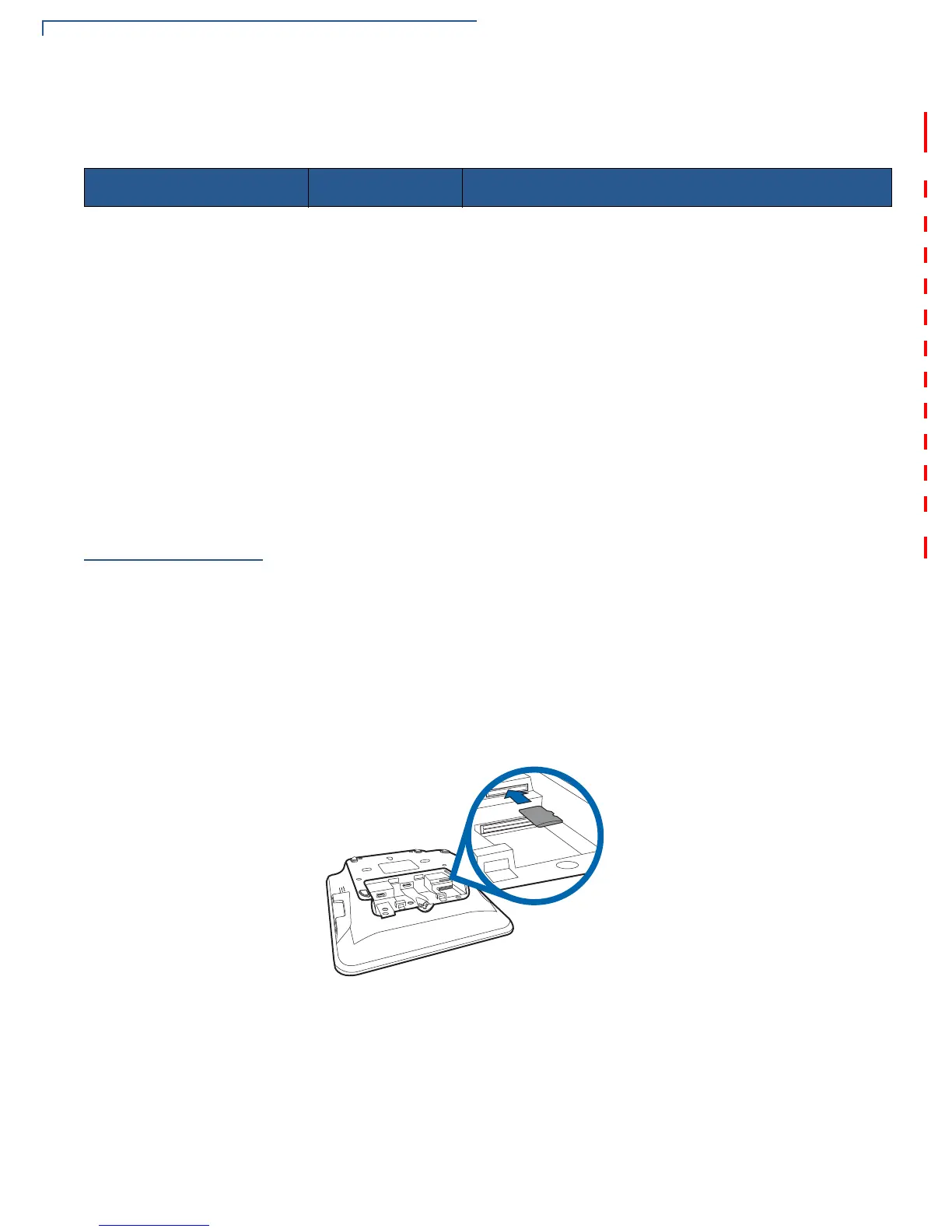
To install or replace Micro SD card:
1 Turn off the terminal.
2 Place the terminal face down on a soft and clean surface.
3 Remove cable cover as shown in Figure 3.
4 Insert the micro SD card into its slot.
Figure 14 Inserting a Micro SD Card
To replace Micro SD card, gently slide out the old micro SD card before inserting a
new one.
Configuration Type Part Number Description
USB CBL445-002-00-A Base Module + USB Module
2 USB Ports CBL445-003-00-A Base Module + USB Module + USB Module
Serial CBL445-004-00-A Base Module + Serial Module
2x Serial with Tailgate CBL445-005-00-A Base Module + Serial Module + Tailgate Module
Ethernet CBL445-006-00-A Base Module + Ethernet Module
Ethernet with USB CBL445-007-00-A Base Module + Ethernet Module + USB Module
Ethernet with Serial (COM2) CBL445-008-00-A Base Module + Ethernet Module + Serial Module
Ethernet with Tailgate CBL445-009-00-A Base Module + Ethernet Module + Tailgate Module
Ethernet Switch CBL445-010-00-A Base Module + Ethernet Switch Module
Ethernet Switch with Tailgate CBL445-011-00-A Base Module + Ethernet Switch Module+ Tailgate













 To Next Page