SETUP
Optional Accessories
28 M400 INSTALLATION GUIDE
2 Release to lock-in hooks in place.
Figure 22 Privacy Shield attached to Terminal
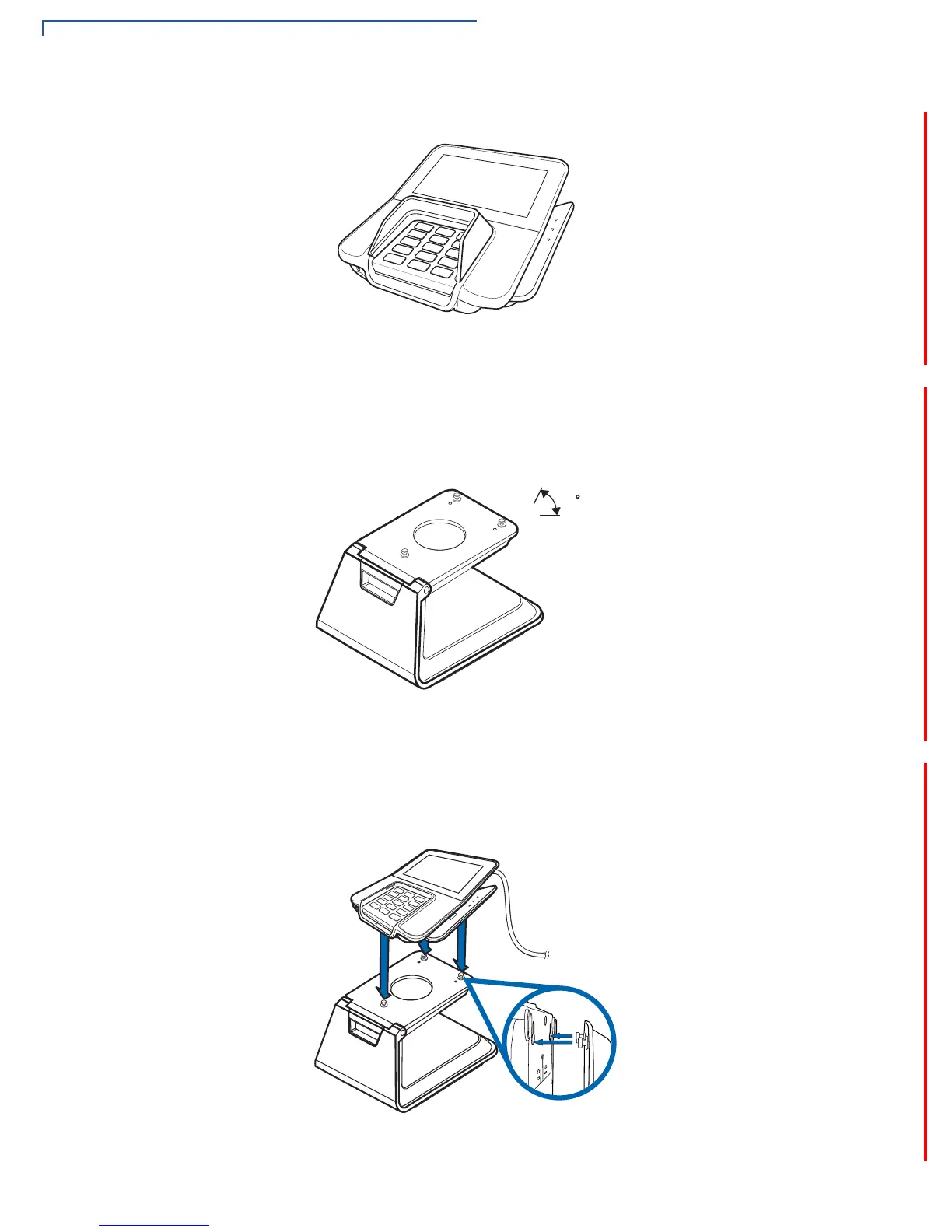
Stand
A mounting device that serves as the terminal’s docking station and adds support
during customer pin entry. The stand can be positioned on a countertop and can
be adjusted during transactions for convenience.
Figure 23 M400 Series Stand
Docking the Terminal
on the Stand
To dock the terminal on the stand:
1 Place the terminal on the base. Ensure that the stand screws align with the
keyholes found at the back of the terminal.
Figure 24 Docking Terminal onto the Stand













 To Next Page