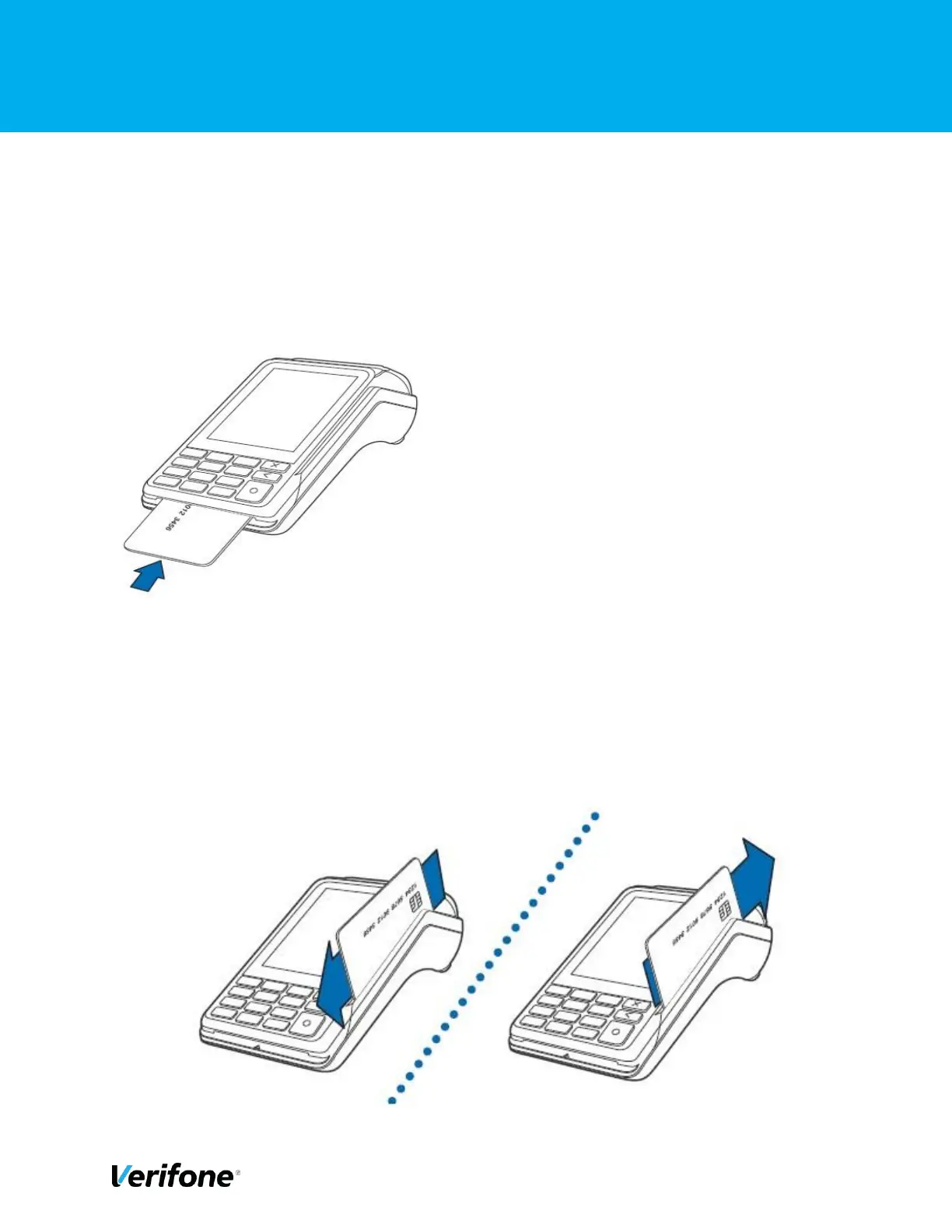
3.6 HOW TO INSERT A CARD
To conduct a smart card transaction: -
1) Position the smart card with the gold contacts facing upward.
2) Insert the card into the smart card reader slot in a smooth, continuous motion until it seats
firmly.
3) Remove the card when the display indicates the transaction is completed.
3.7 HOW TO SWIPE A CARD
To conduct a magnetic swipe transaction: -
1) Position a magnetic card with the stripe facing the keypad. 2)
Swipe it through the magnetic card reader.



 To Next Page