Public | V240m+ External User Manual | Version 1.5 | September 15
th
2020
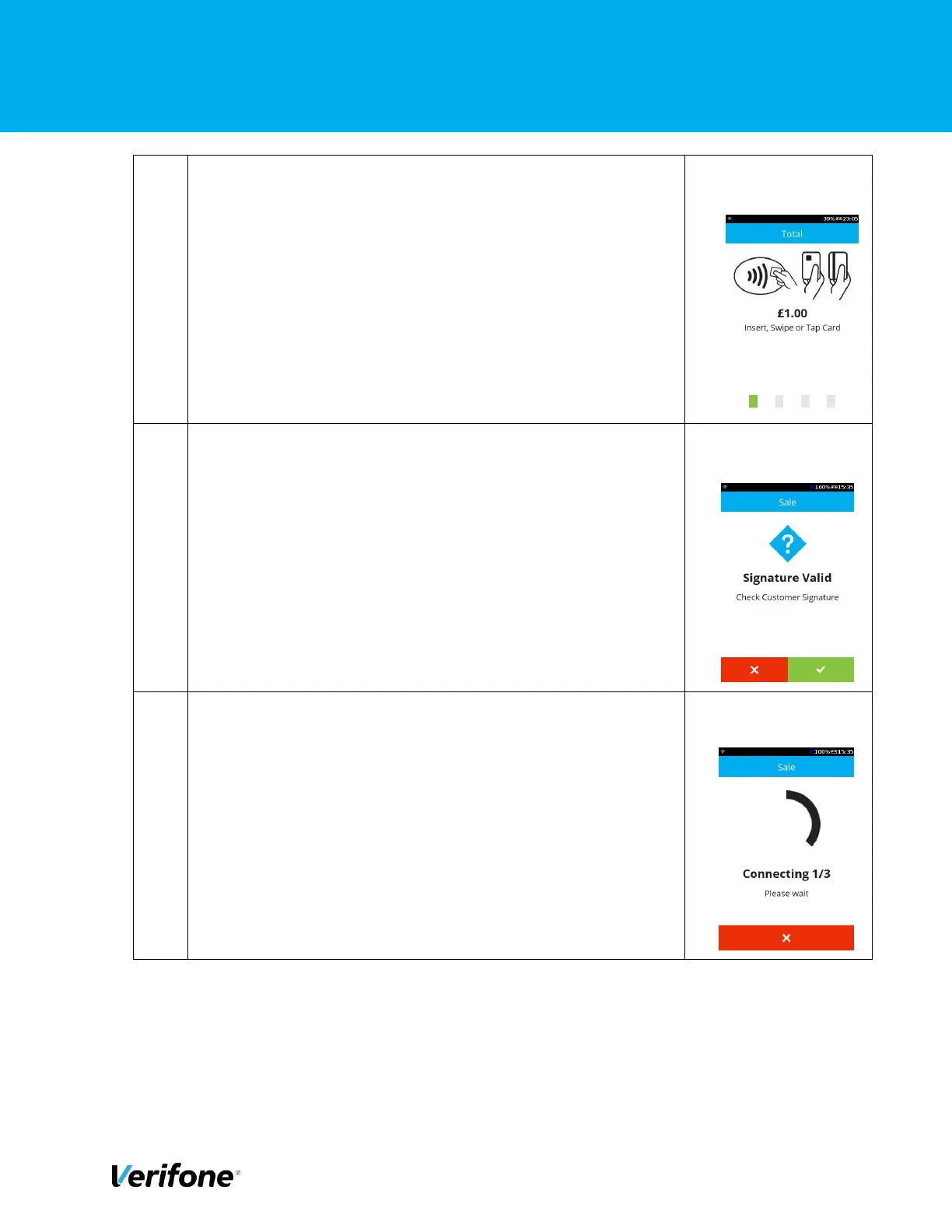
On this screen, the user can choose the card payment method,
i.e. Tap for contactless, Swipe for MSR or Insert for ICC
transaction. In this example, we are showing a swipe
transaction.
After the card has been swiped the device will prompt for
signature verification (at this point a merchant receipt will be
printed with a box for a signature)
You may see a screen where the terminal is “connecting”, this
screen should only show for a couple of seconds while the
terminal is establishing a connection.



 To Next Page