Public | V240m+ External User Manual | Version 1.5 | September 15
th
2020
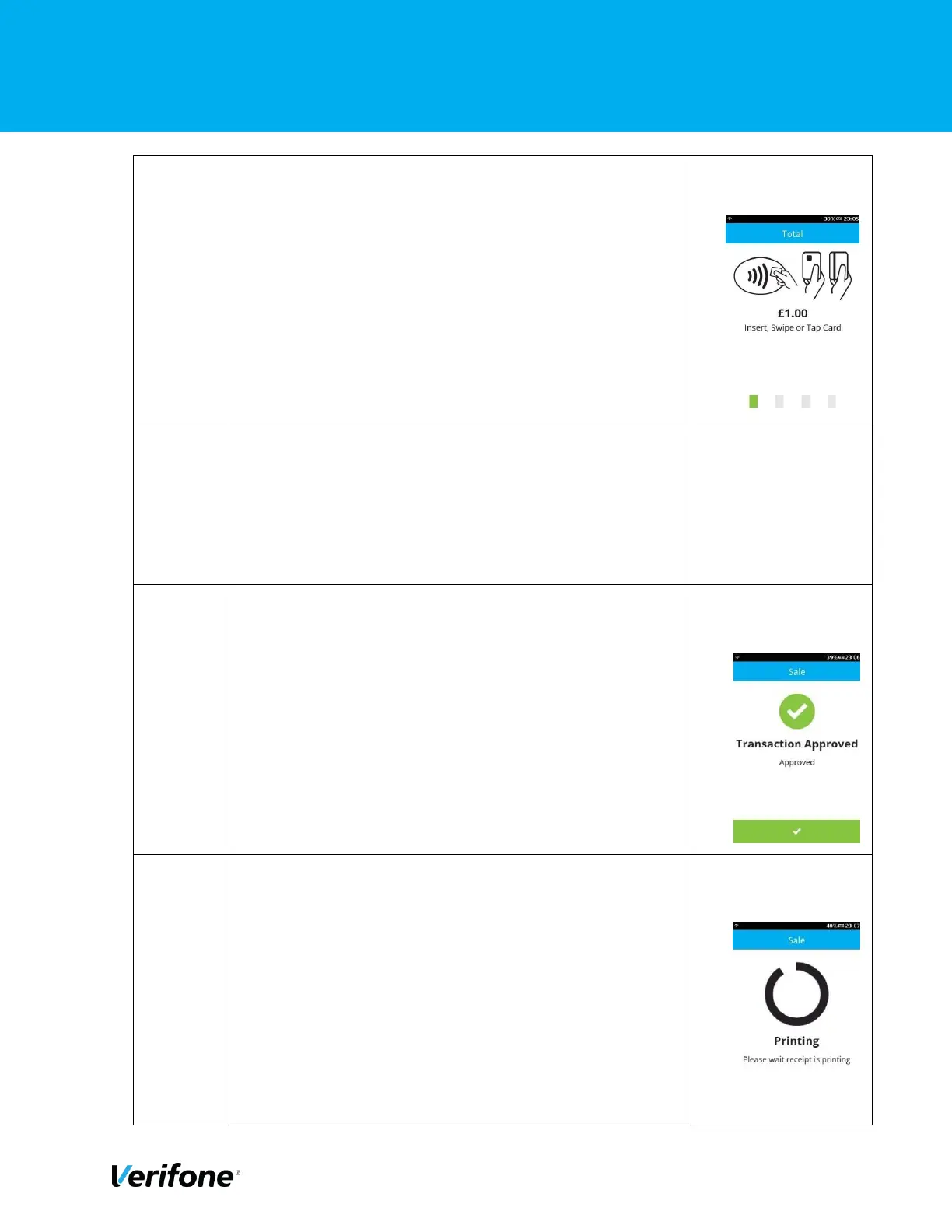
On this screen, the user can choose the card payment
method, i.e. Tap for contactless, Swipe for MSR or Insert
for ICC transaction. In this example, we are showing a
CTLS transaction.
After the card has been tapped the device will show “card
read ok”
*unable to capture this screen as it only flashes up for a
second
After the transaction have been approved, the terminal will
display a confirmation message as shown. Either press
“Green Bar” at the bottom of the screen” or press “Green
Circle” or “Enter” button to complete.
The terminal will display the printing message.



 To Next Page