Public | V240m+ External User Manual | Version 1.5 | September 15
th
2020
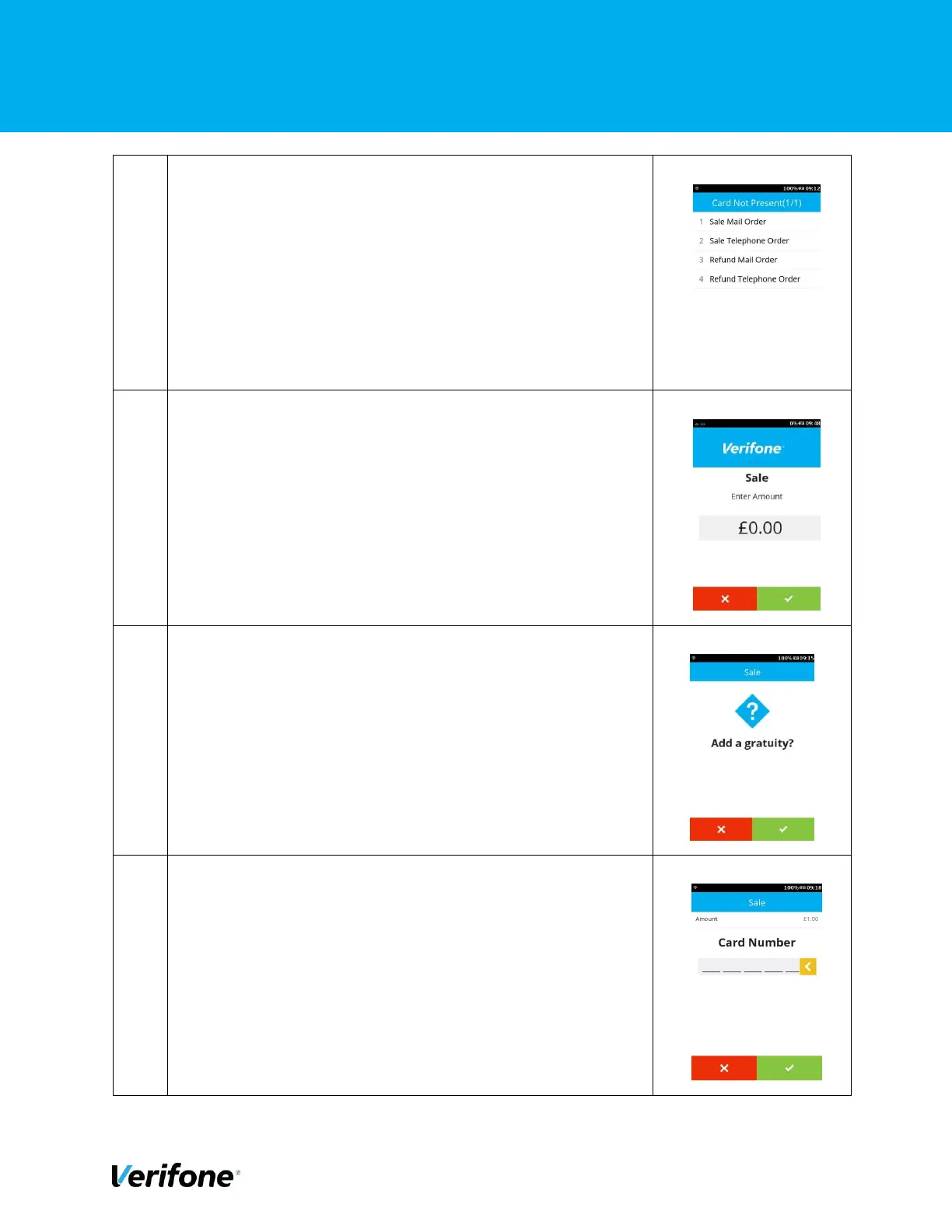
In the “Card Not Present” Menu, there are options of CNP
Transaction. Choose one appropriately. In this example, the
“Sale Telephone Order” was selected.
To initiate the Sale payment, just enter the required amount.
After amount entered, press the “Green” button or “Green
Circle” button to start the transaction.
Option to add the gratuity, Press “Green” to add gratuity or
“Red” to skip.
Use the keypad to enter the Card Number and press “Enter”
to continue.



 To Next Page