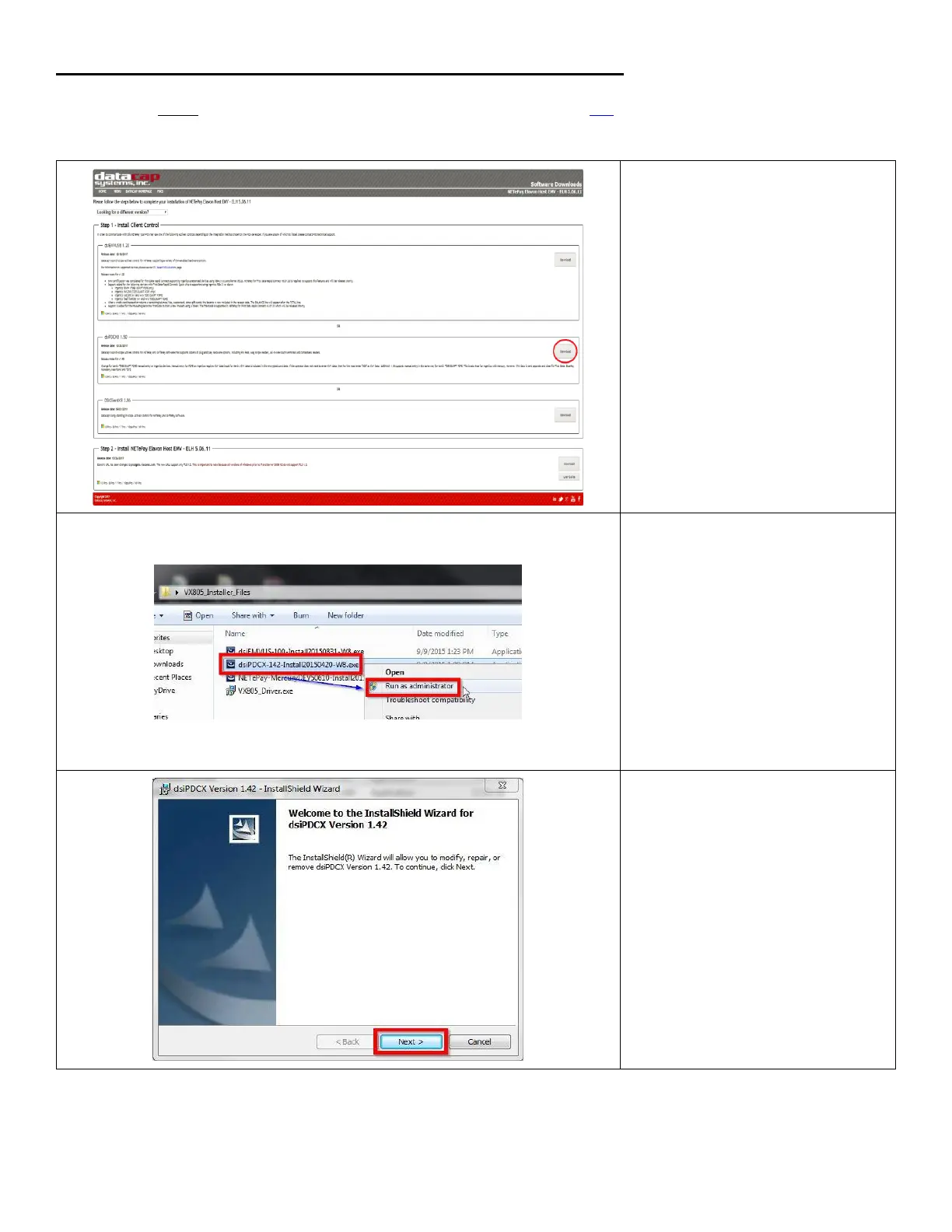
Installing dsiPDCX control (required on each PC using a VX 805)
Download the latest dsiPDCX control software for Elavon from the following link, Select NETePay5.0 to expand the list,
and select Elavon Host EMV – ELH.
1. Under dsiPDCX 1.5*, click on
Download.
2. Right-click on the dsiPDCX-15*-
Install201*****-W8.exe file
and click on Run as
administrator.













 To Next Page