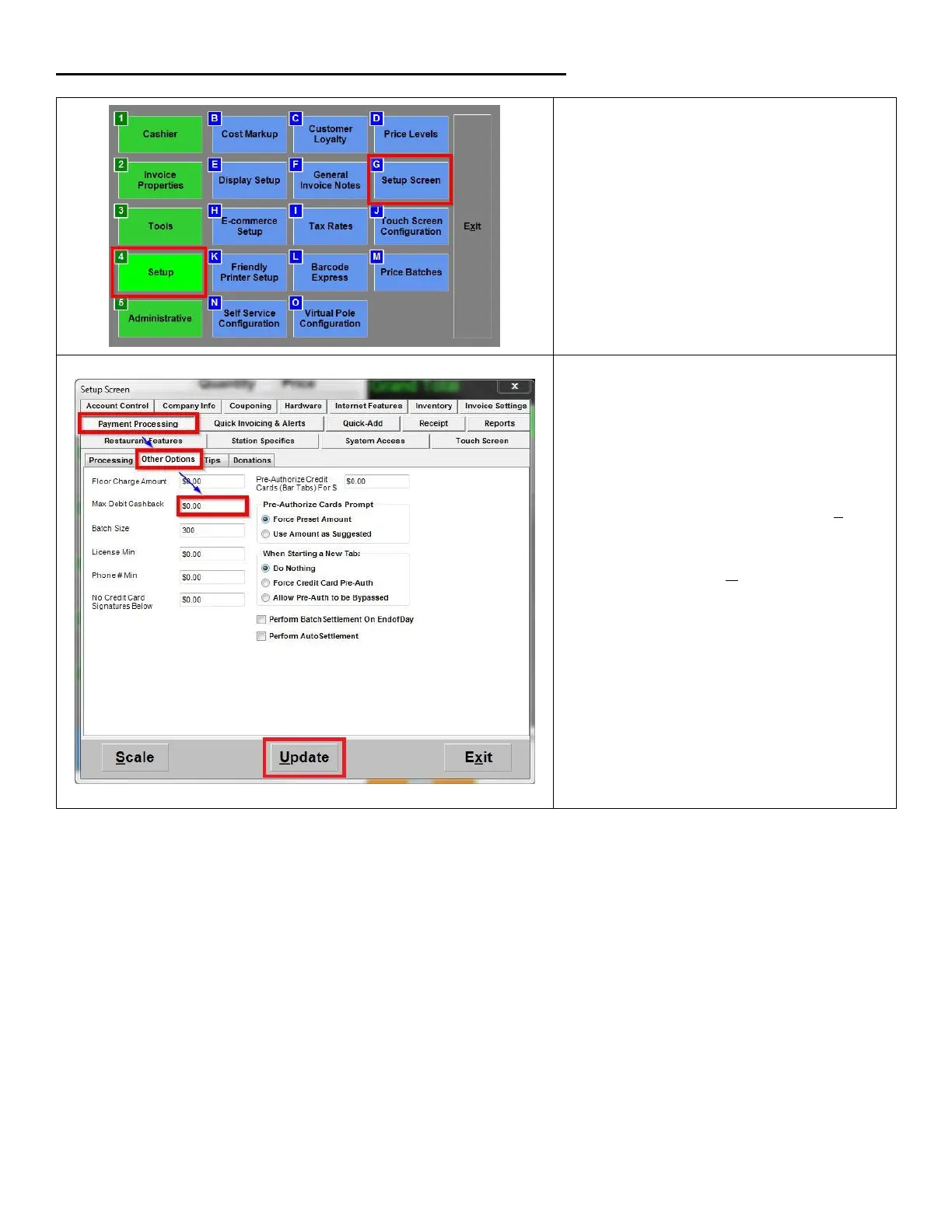
2. Go to Payment Processing > Other
Options; in the Max Debit Cashback
field, any amount greater than 0 to
enable the cashback feature for debit
and EBT sales. To disable the cashback
function, enter 0 in the field.
3. NOTE the amount entered in this field
does not determine the maximum
cashback amount allowed with the
sale, this is configured by Datacap.













 To Next Page