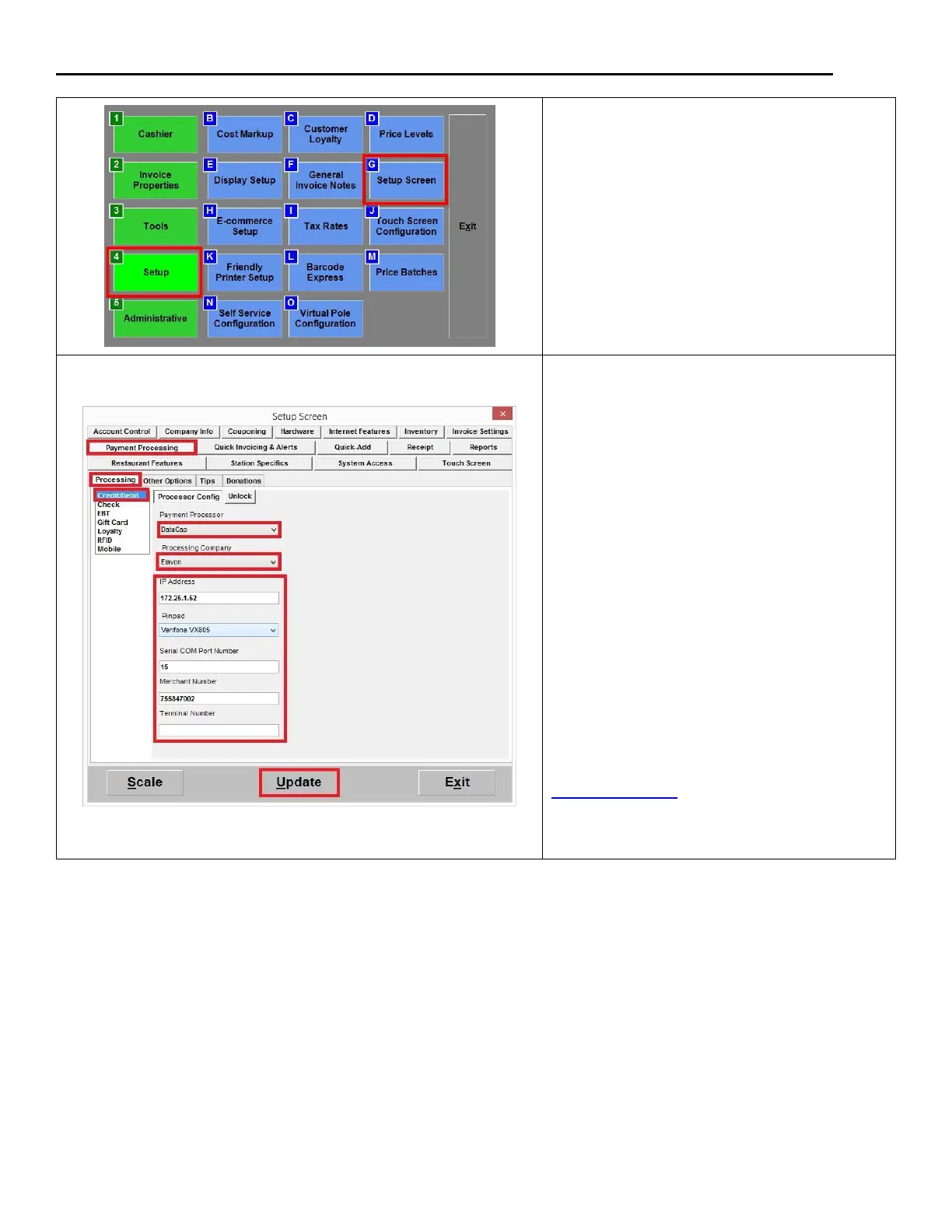
2. Under the Payment Processing:
Click on the Processing tab and select
Credit/Debit; under the Payment
Processor dropdown, select DataCap;
3. under the Processing Company
dropdown, select Elavon;
4. under IP Address, enter the IP address
of the PC where you installed the
NETePay software;
5. Select Verifone VX805 under the
Pinpad dropdown
6. Enter the Merchant Number; enter the
Terminal Number (if provided by
processor)
7. Click Update to save your changes.
If you are prompted for an unlock code, and you
do not know how to obtain one, please read the
unlock code guide for more information.













 To Next Page