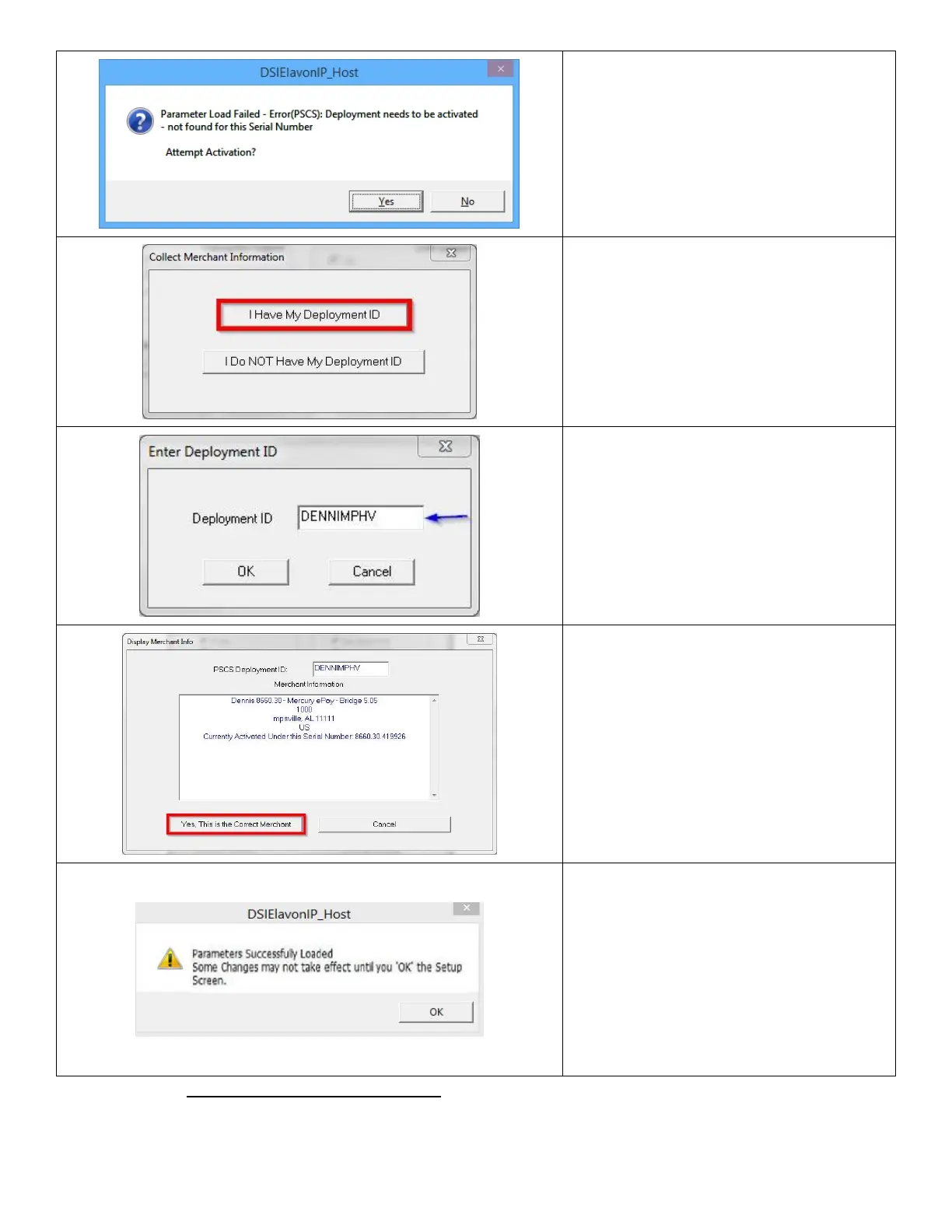
16. Click Yes to Attempt Acitvation.
17. Click I Have My Deployment ID.
18. In the dialog box that displays, enter the
Deployment ID you received, then click
OK.
19. Click Yes, This is the Correct Merchant.
If the information is not correct, click
Cancel and retry entry from the
beginning of Step 17.
20. If NETePay successfully retrieves the
parameters associated with the entered
DeploymentID from the PSCS server, you
will see the dialog box on the left. Click
OK and you will be brought back to the
Setup Merchant Parameters screen.
Hit OK from the Setup Merchant
Parameters screen to exit.
Important Note: NETePay must always be running to process transactions. We recommend the default
location in the POS system tray.













 To Next Page