EasyManua.ls Logo

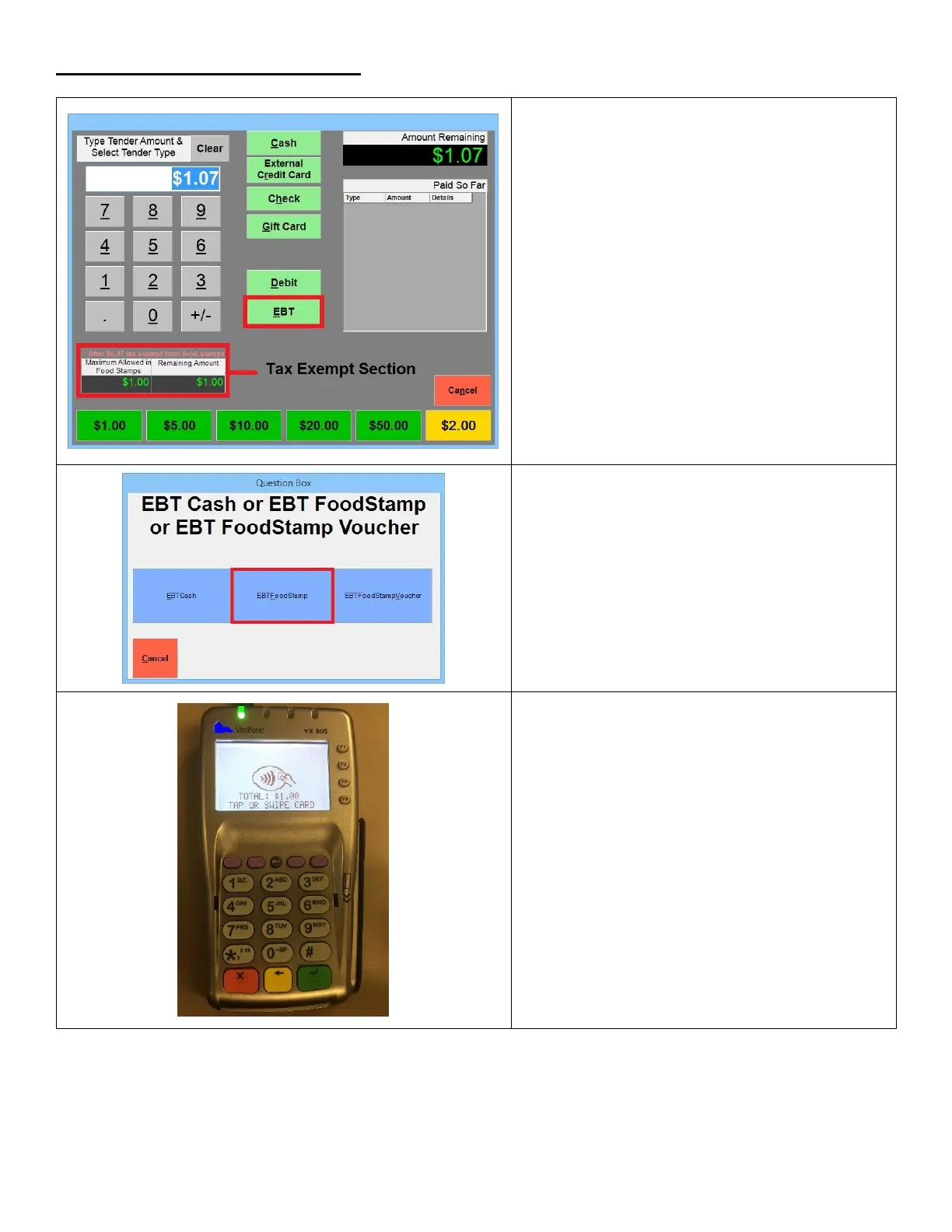
VeriFone VX 805 - Performing a EBT Foodstamp Sale; Initiate EBT Foodstamp Sale; Select EBT Foodstamp Type; Swipe EBT Card

VeriFone VX 805
40 pages
Print Icon
To Next Page IconTo Next Page
To Previous Page IconTo Previous Page
Loading...
Performing a EBT Foodstamp Sale
1. Ring up a sale and proceed to the Amount
Tendered (Pay) screen. Select EBT.
**NOTE** If you’ve enabled Tax Exempt on
Foodstamp Purchases, you can see the
amount the customer will be charged after
the tax has been removed from Foodstamp
items.
2. Select EBTFoodstamp
3. On the VX 805, the screen on the pinpad will
prompt to swipe the card, swipe the EBT
card.

Other manuals for VeriFone VX 805

Related product manuals