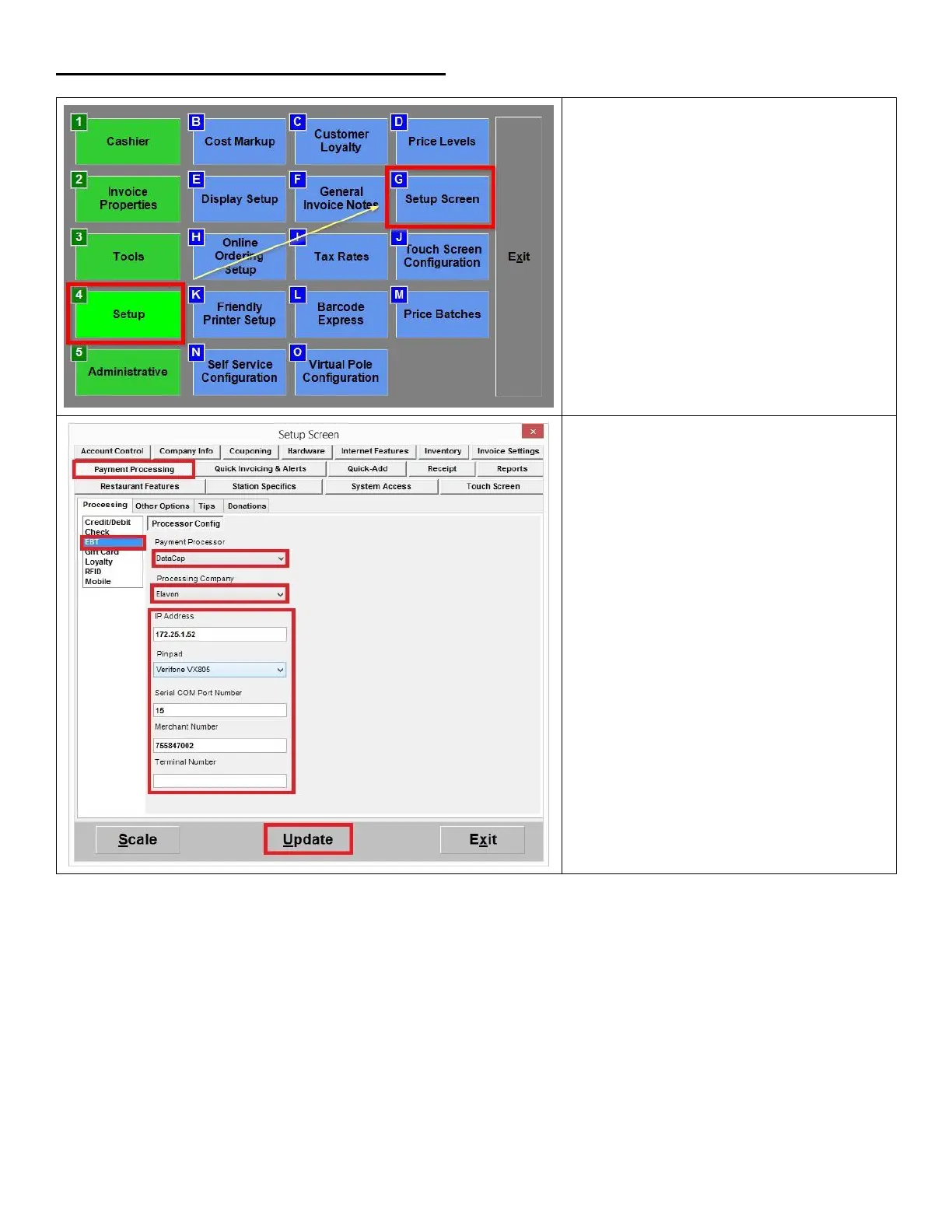
1. From the Options/Manager screen,
select Setup > Setup Screen.
2. Click on Payment Processing > EBT.
3. For Payment Processor, select DataCap.
4. For Processing Company, select Elavon.
5. Enter the IP Address of the computer
where the NETePay software is installed.
6. Enter the Merchant Number (provided
by the processor).
7. Leave the Terminal Number blank.
8. Click Update to save your changes.













 To Next Page