Installing the VX 805 driver
Download the VX 805 driver from the following link:
http://download2.pcamerica.com/drivers/Manufacturer/Verifone/VX805_Driver.zip
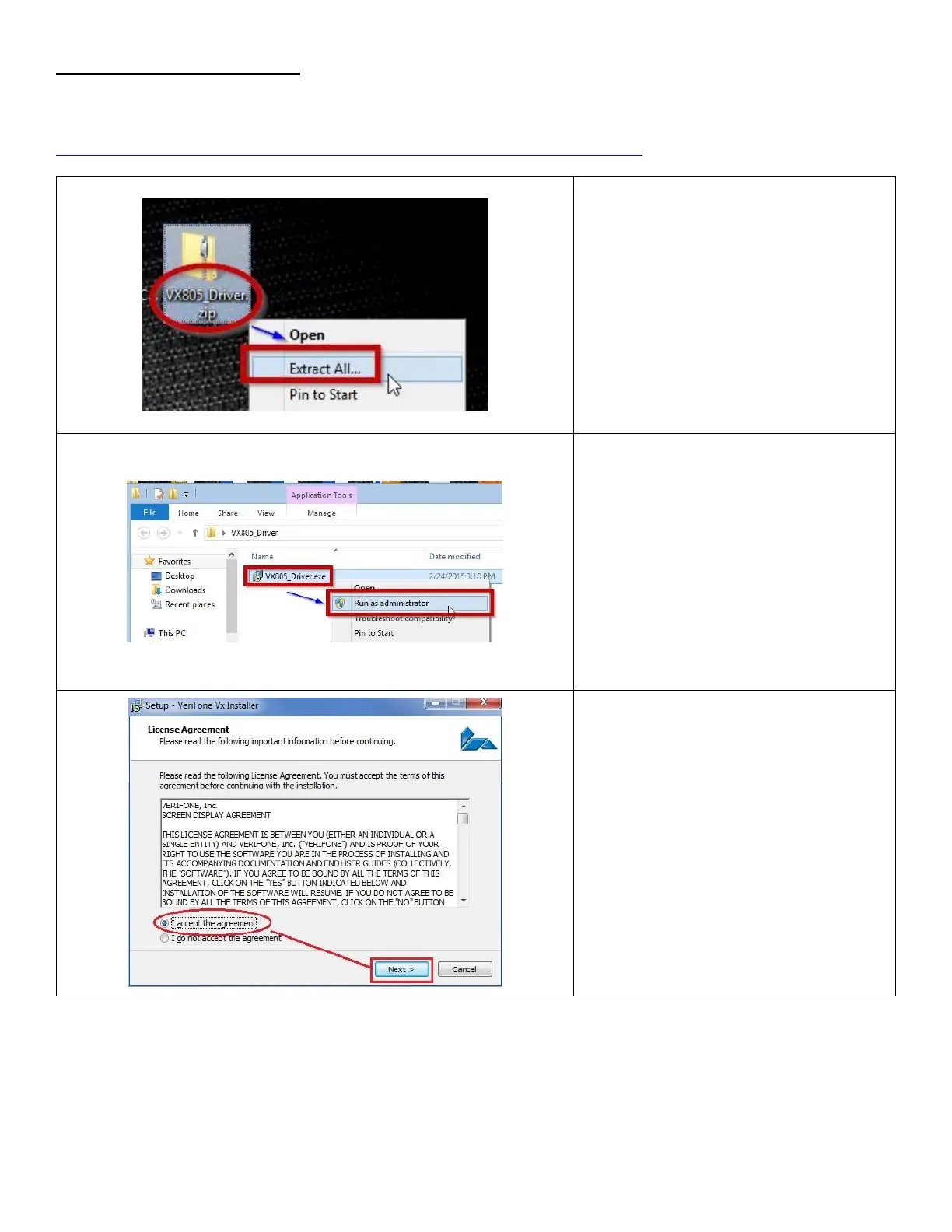
1. Locate the downloaded file
VX805_Driver.zip. Right-click on the
file and extract its contents.
2. Right-click on the VX805_Driver.exe
file that was just extracted and click on
Run as administrator.
3. Accept the agreement and click on
Next.













 To Next Page