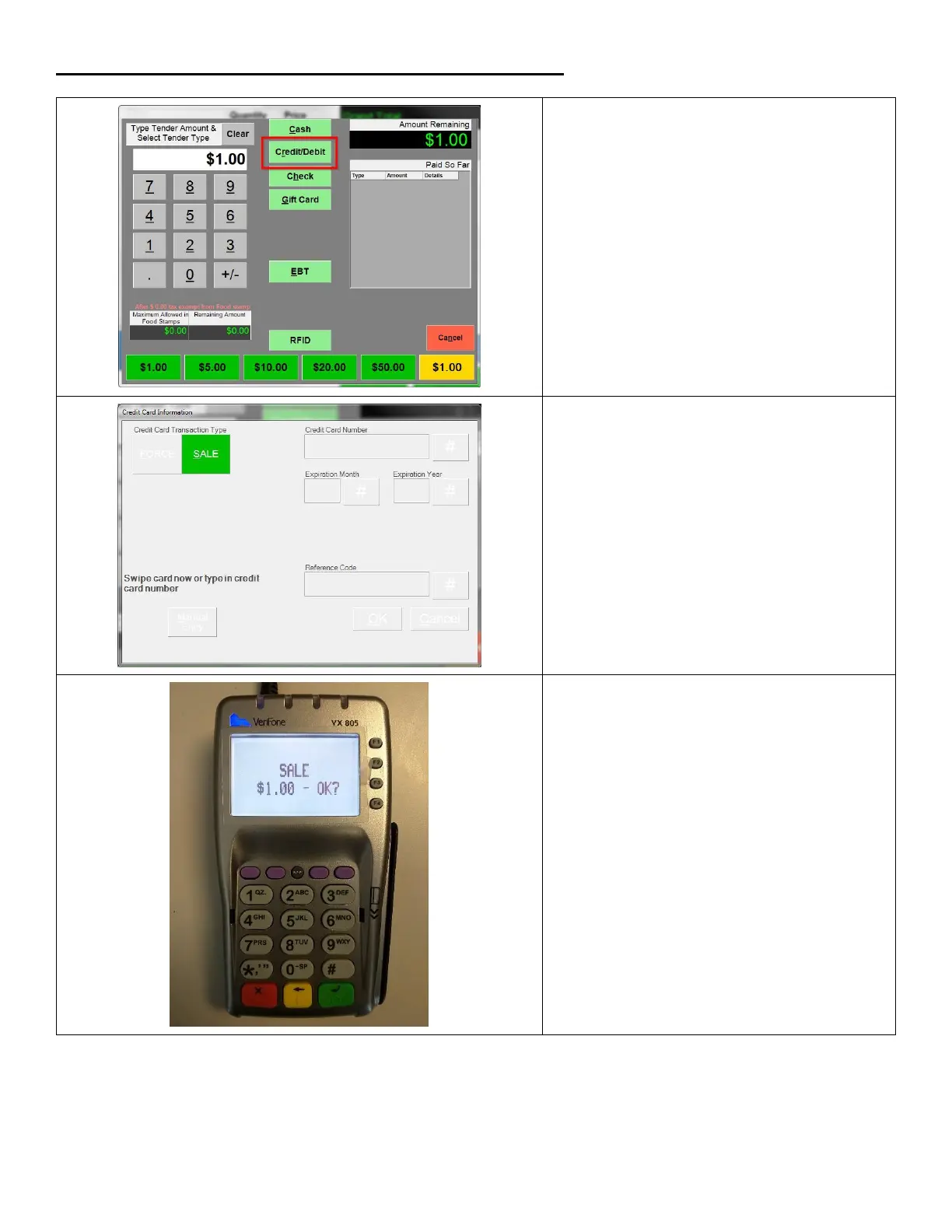
Ringing up an EMV credit card sale using the chip reader
1. Ring up a sale and proceed to the
Amount Tendered (Pay) screen. Select
Credit/Debit.
2. The Amount Tendered screen will gray
out and go away after the transaction is
completed.
Note: You cannot cancel a card
payment from within CRE at this point.
You can cancel by hitting the red button
on the keypad or by waiting for the
process to time out.
3. On the VX 805 hit the green key on the
keypad to proceed with the sale.













 To Next Page