107
/ CONFIGURING
ADVANCED SETTINGS
verizon.com/business/products/fios-internet | ©2020 Verizon. All Rights Reserved
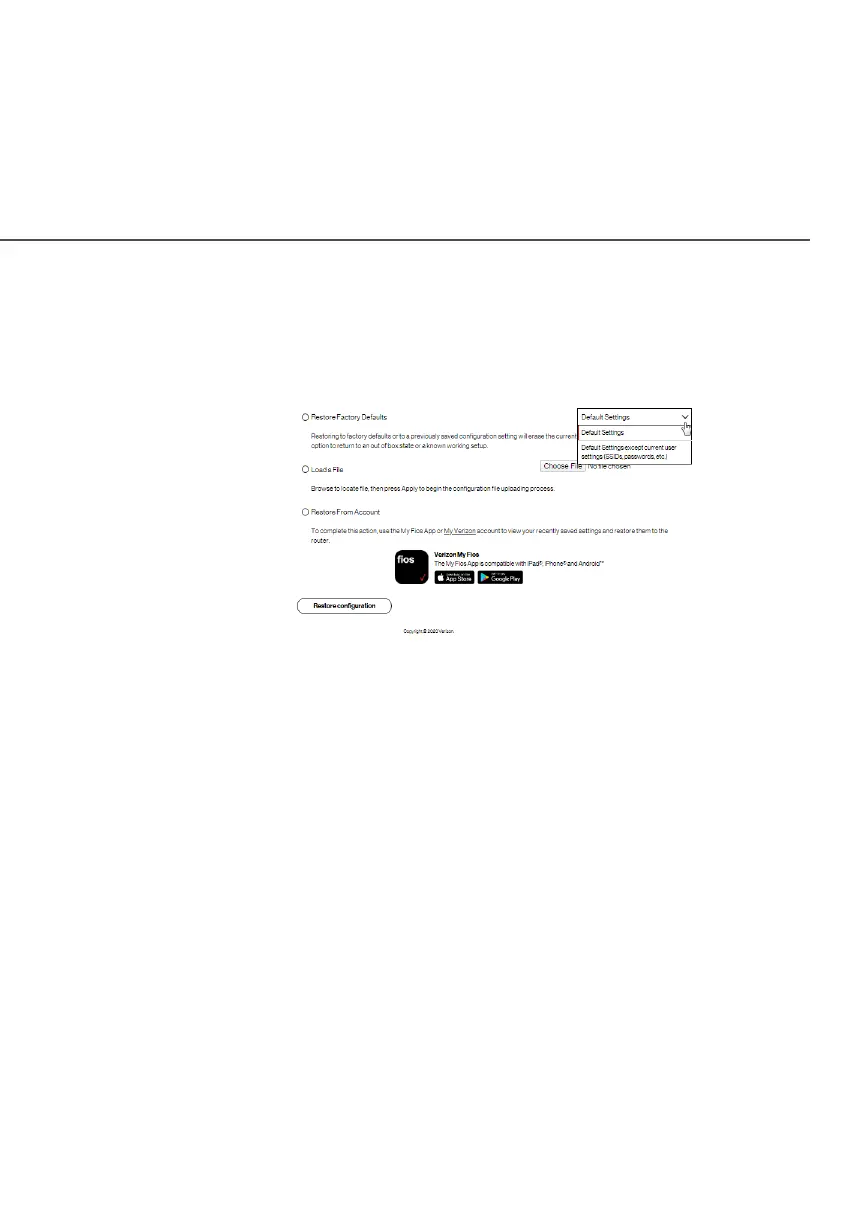
To restore your Fios Router’s factory default settings:
1. Select Save & RestoreSave & Restore in the UtilitiesUtilities section.
2. Click Restore Factory DefaultsRestore Factory Defaults.
• Default Settings – will erase all router settings including
user settings for SSID and Passwords.
• Default Settings except current user settings – will erase
all router settings but will retain the user settings for SSID
and passwords.
3. Click Restore configurationRestore configuration button. The factory default
settings are applied and your Fios Router restarts. Once
complete, the Login page for the First Time Easy Setup
Wizard displays.




















 To Next Page