123
/ CONFIGURING
ADVANCED SETTINGS
verizon.com/business/products/fios-internet | ©2020 Verizon. All Rights Reserved
Static - WAN IPv6 Address Connection
The IPv6 WAN Static configurations are IPv6 settings that you
enter manually. These specific IPv6 addresses and settings are not
expected to change frequently.
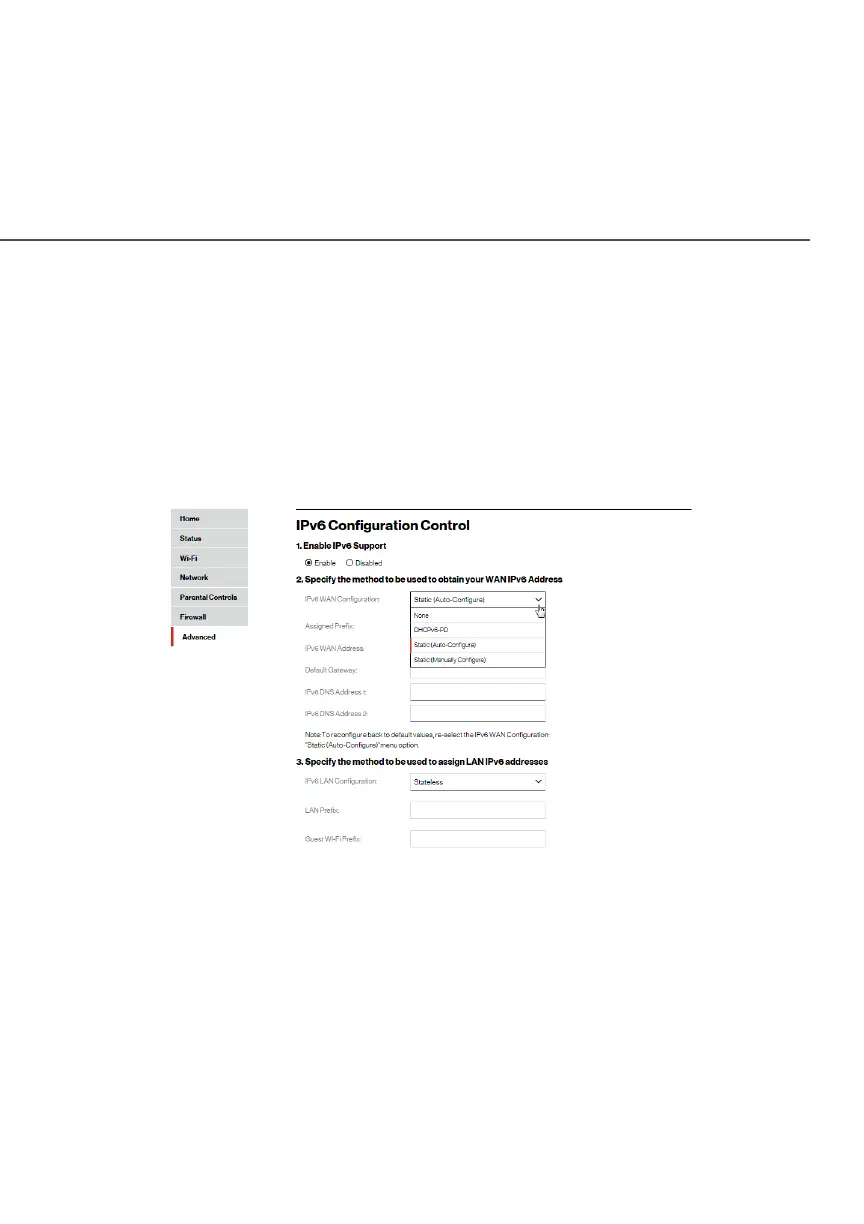
1. To configure IPv6 WAN Static mode, select the StaticStatic option
on the IPv6 Configuration ControlIPv6 Configuration Control page as shown below:
2. Specify the StaticStatic method to be used to obtain your WAN
IPv6 Address by entering:
• IPv6 WAN ConfigurationIPv6 WAN Configuration (select Static)
• Assigned PrefixAssigned Prefix (A numeric value between 16 and 128)
• IPv6 WAN AddressIPv6 WAN Address
• Default GatewayDefault Gateway: Fios Router




















 To Next Page