NETWORK SETTINGS
LAN IPv6 Stateless with No WAN Settings
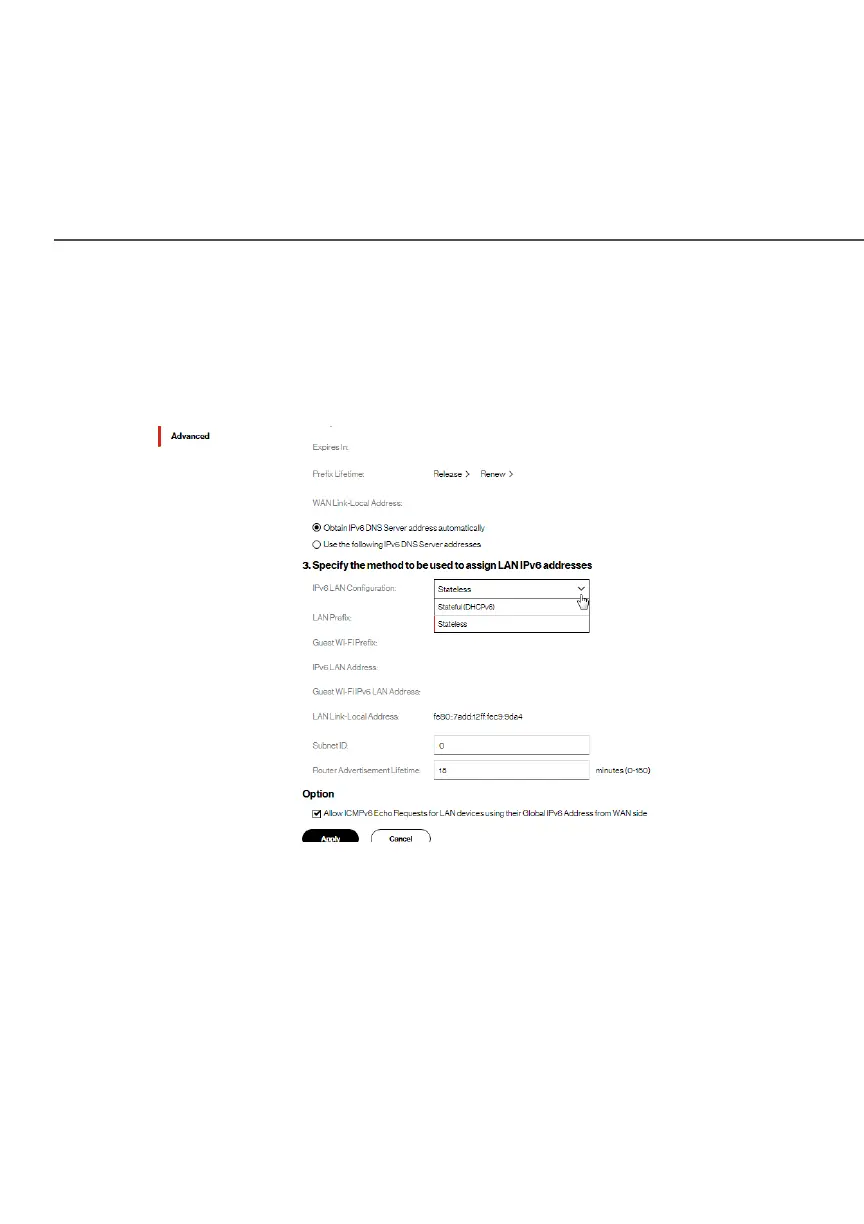
1. To configure IPv6 LAN Stateless mode with No WAN
connection, select the StatelessStateless option on the IPv6 IPv6
Configuration ControlConfiguration Control page as shown below:
2. Specify the settings to be used to assign LAN IPv6
addresses by entering the following details:
• IPv6 LAN ConfigurationIPv6 LAN Configuration (select Stateless from the
dropdown list)
• LAN Prefix LAN Prefix (automatically populated)
• IPv6 LAN Address IPv6 LAN Address (automatically populated)
• LAN Link Local AddressLAN Link Local Address (automatically populated)




















 To Next Page