135
/ CONFIGURING
ADVANCED SETTINGS
verizon.com/business/products/fios-internet | ©2020 Verizon. All Rights Reserved
• Subnet IDSubnet ID - set the site topology for your internal site
• Router Advertisement LifetimeRouter Advertisement Lifetime (minutes between 0-150)
• Option: Allow ICMPv6 Echo Request for LAN devices Option: Allow ICMPv6 Echo Request for LAN devices
using their Global IPv6 Address from WAN sideusing their Global IPv6 Address from WAN side -
requesting an IPv6 address from any available DHCPv6
servers available on the ISP
3. After entering all appropriate IPv6 settings, click ApplyApply to
have changes take eect.
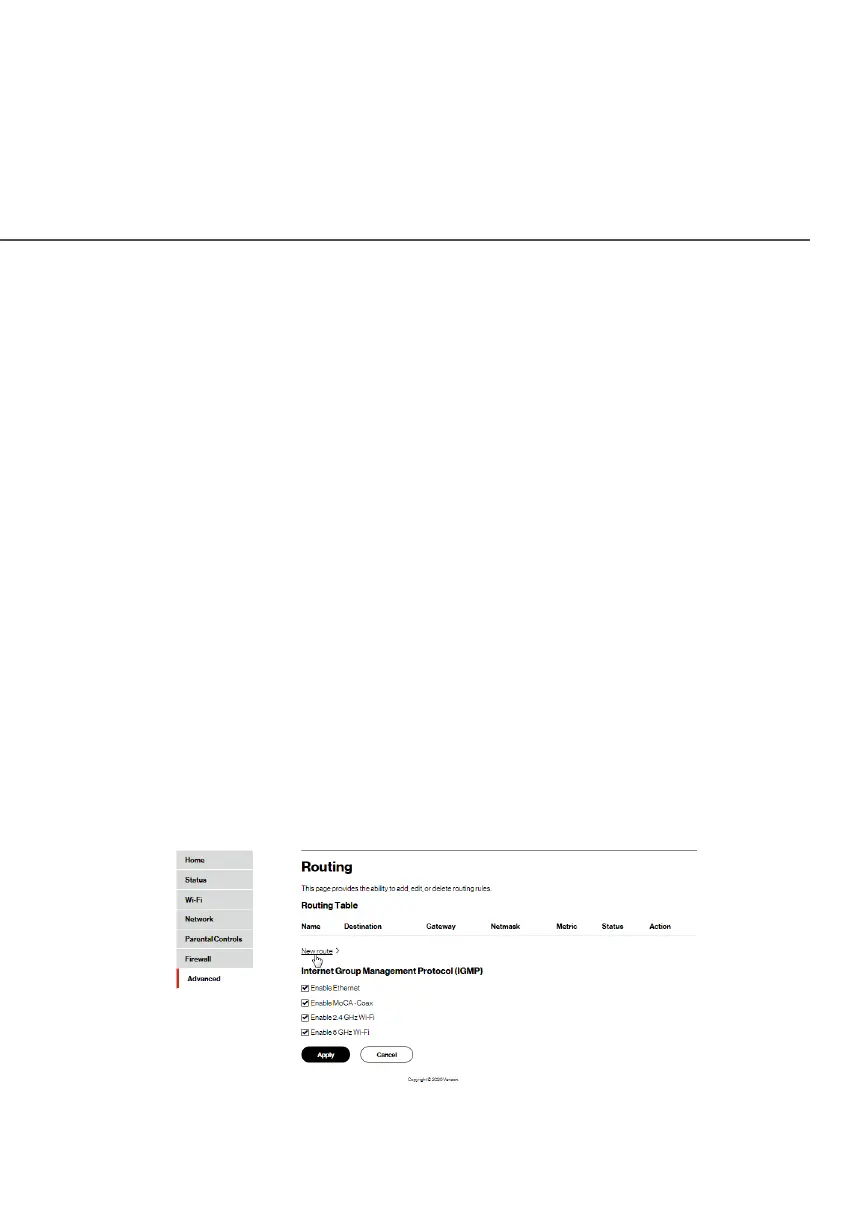
8.2e/ ROUTING SETTINGS
You can view the routing and IP address distribution rules as well as
add, edit, or delete the rules.
Routing Table
To view the rules:
1. Select RoutingRouting in the Network SettingsNetwork Settings section.




















 To Next Page