NETWORK SETTINGS
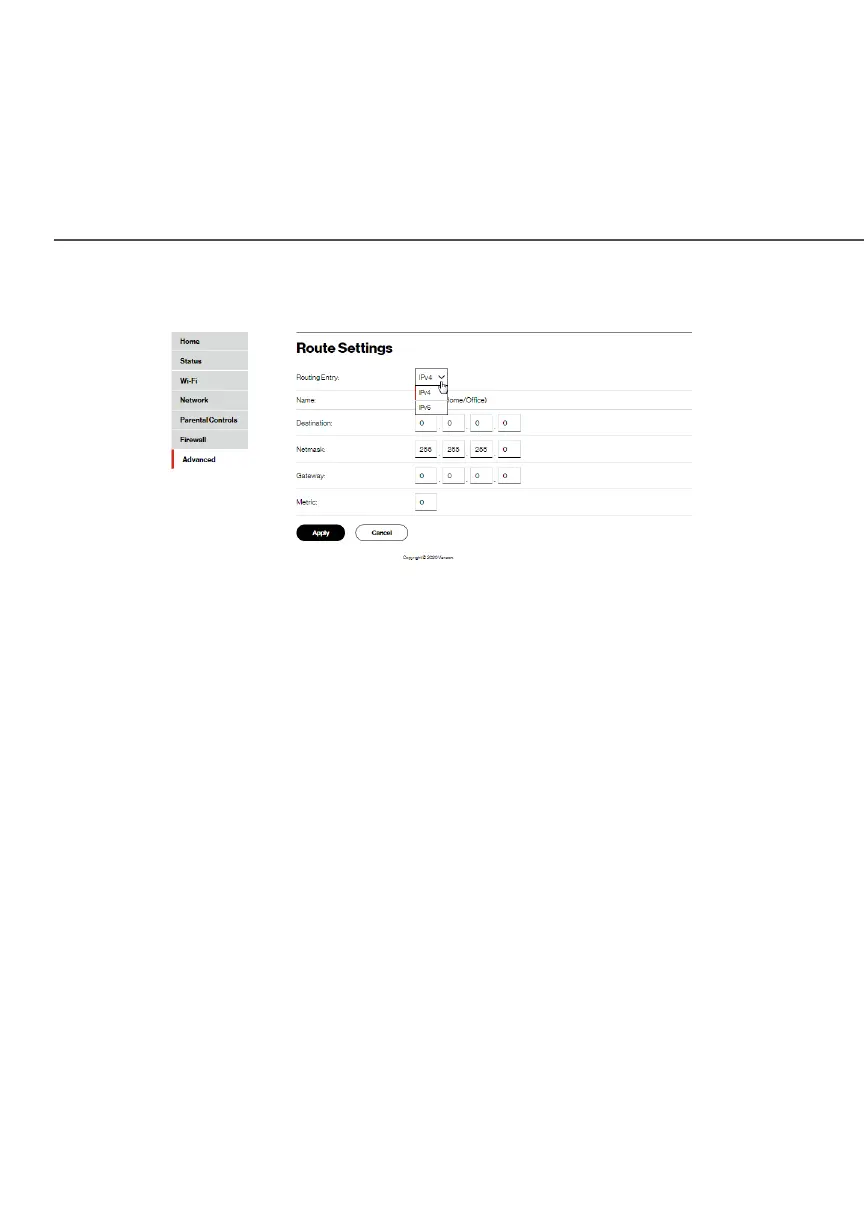
2. To add a new Route, click New routeNew route.
3. Specify the following parameters:
• NameName – select the network type.
• DestinationDestination - enter the destination IP of the destination
host, subnet address, network address, or default route.
The destination for a default route is 0.0.0.0.
• NetmaskNetmask – enter the network mask. This is used in
conjunction with the destination to determine when a
route is used.
• GatewayGateway – enter the IP address of your Fios Router.
• MetricMetric – enter a measurement preference of the route.
Typically, the lowest metric is the most preferred route.
If multiple routes exist to a specific destination network,
the route with the lowest metric is used.
4. Click ApplyApply to save changes.




















 To Next Page