NETWORK SETTINGS
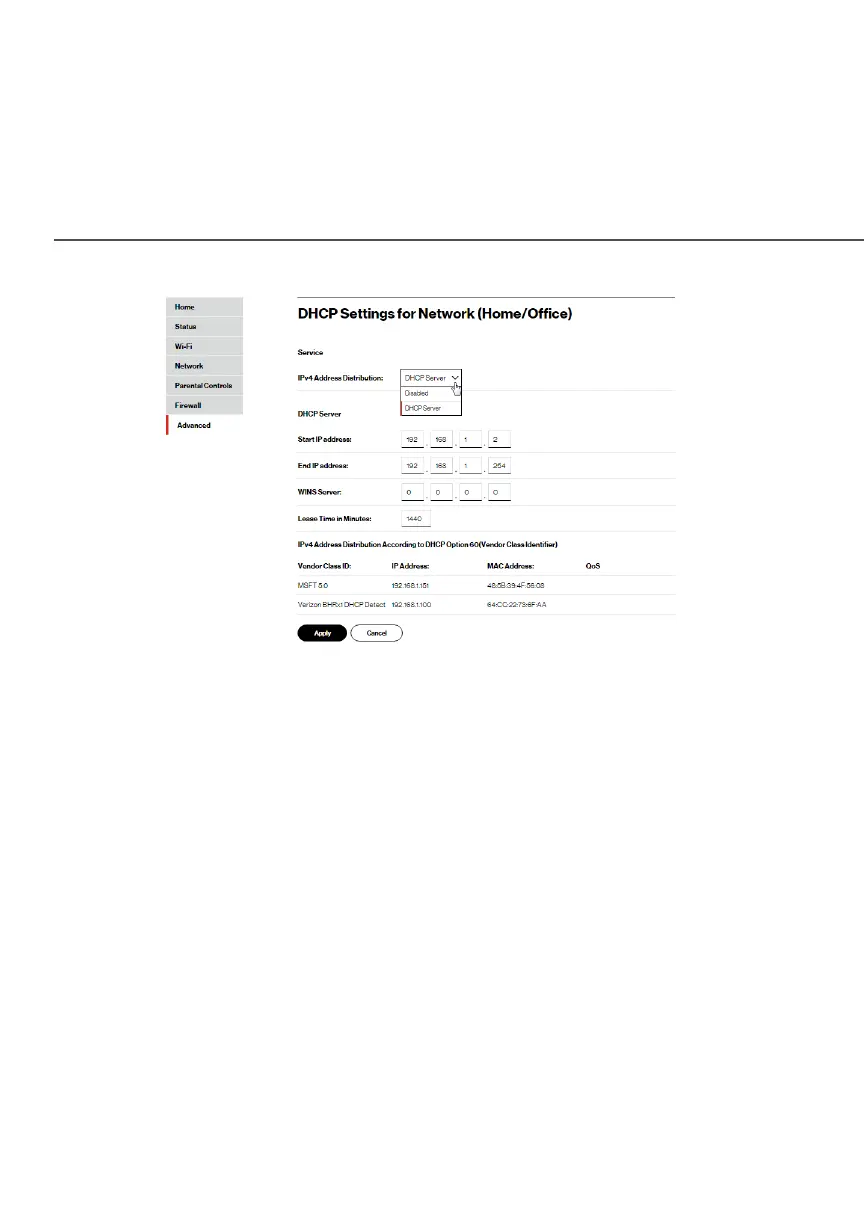
5. To configure the DHCP server, complete the following fields:
• Start IP AddressStart IP Address – enter the first IP address that
your Fios Router will automatically begin assigning IP
addresses from. Since your Fios Router’s default IP
address is 192.168.1.1, the default start IP address should
be 192.162.1.2.
• End IP AddressEnd IP Address – enter the last IP address that your
Fios Router will stop at for the IP address allocation. The
maximum end IP address range that can be entered is
192.168.1.254.
• WINS ServerWINS Server – determines the IP address associated
with a network device.
• Lease Time in MinutesLease Time in Minutes – assigns the amount of time in
minutes that each device is assigned an IP address by
the DHCP server when it connects to the network.




















 To Next Page