SETTING UP YOUR FIOS ROUTER
./ SETTING UP YOUR FIOS ROUTER
Before you begin, if you are replacing an existing router, disconnect
it. Remove all old router components, including the power supply.
They will not work with your new Fios Router.
2.0a/ INSTALLATION INSTRUCTIONS
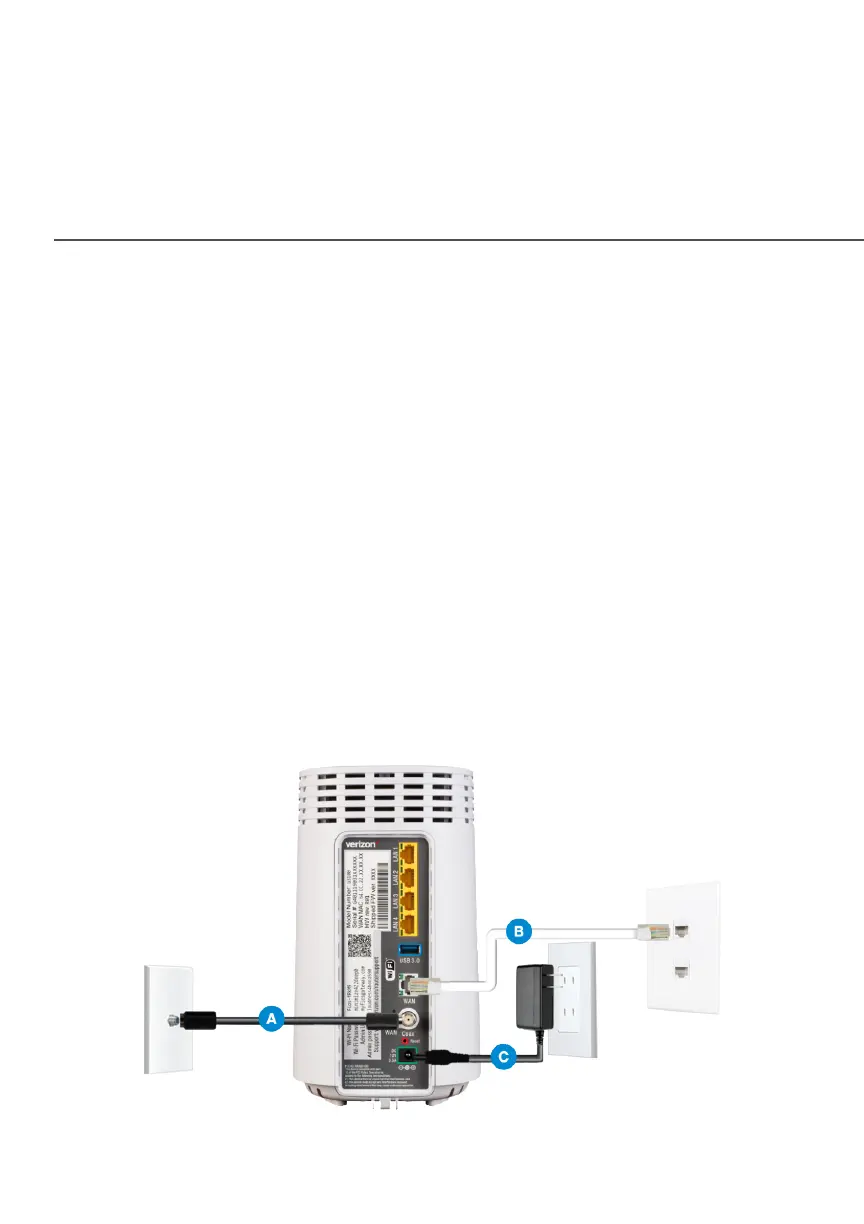
. CONNECT YOUR CABLESCONNECT YOUR CABLES
A. Connect the coax cable from the coax port on your
router to a coax outlet. (Required for Fios TV)
B. Connect the Ethernet cable from your router’s WAN
port to an Ethernet outlet. (Required for internet speeds
greater than 100 Mbps)
C. Connect the router power cord to an electrical outlet.




















 To Next Page