21
/ CONNECTING
YOUR FIOS ROUTER
verizon.com/business/products/fios-internet | ©2020 Verizon. All Rights Reserved
D. Router will take up to 10 minutes to power up completely.
Move on when the front light is solid white.
2. CCONNECT YOUR DEVICESONNECT YOUR DEVICES
Wired or Wi-Fi? Your choice.Wired or Wi-Fi? Your choice.
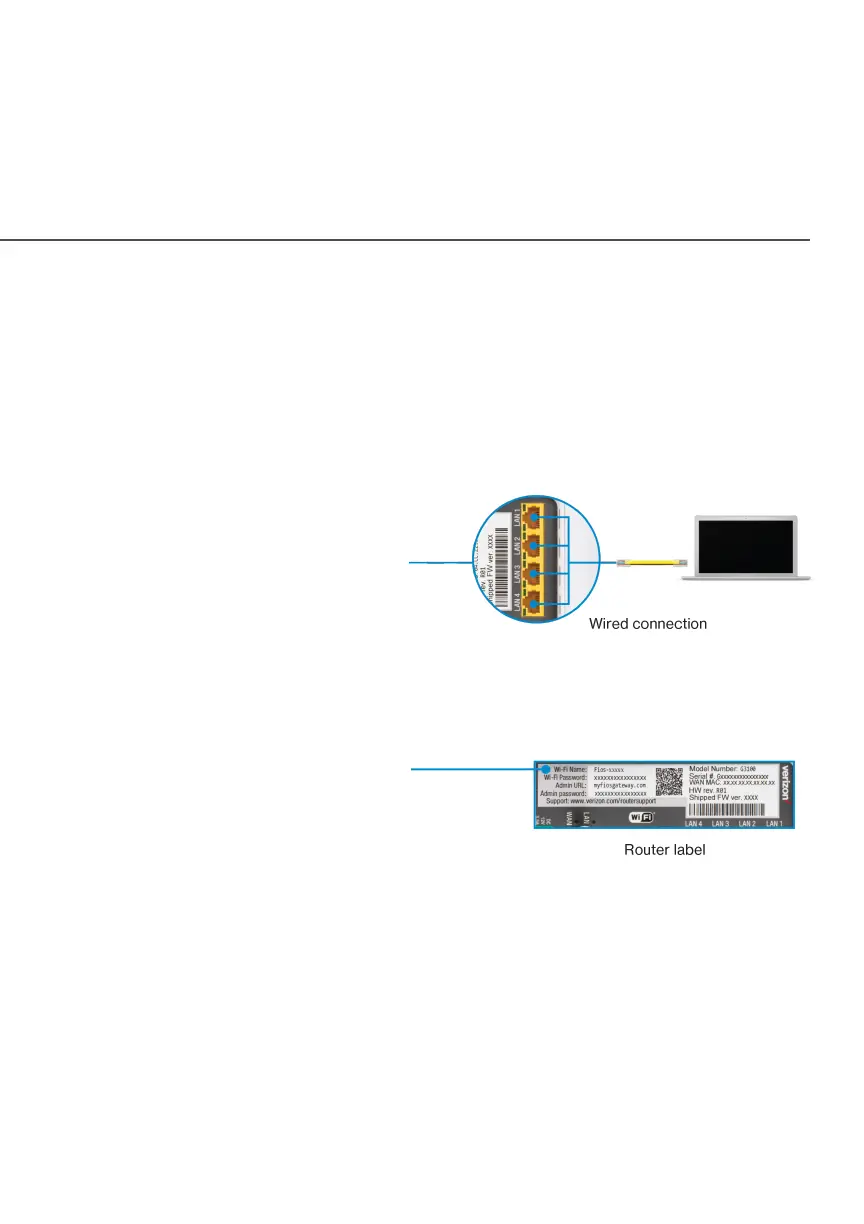
WiredWired
A. Connect the
Ethernet cable to
any yellow LAN port
on your router.
B. Connect the other end to your computer.
Wi-FiWi-Fi
A. Get the Wi-Fi name
and password o the
label on your router.
B. On your device, choose your
Wi-Fi name when it appears.
C. Enter the Wi-Fi password exactly as it is on your router
label.




















 To Next Page