23
/ CONNECTING
YOUR FIOS ROUTER
verizon.com/business/products/fios-internet | ©2020 Verizon. All Rights Reserved
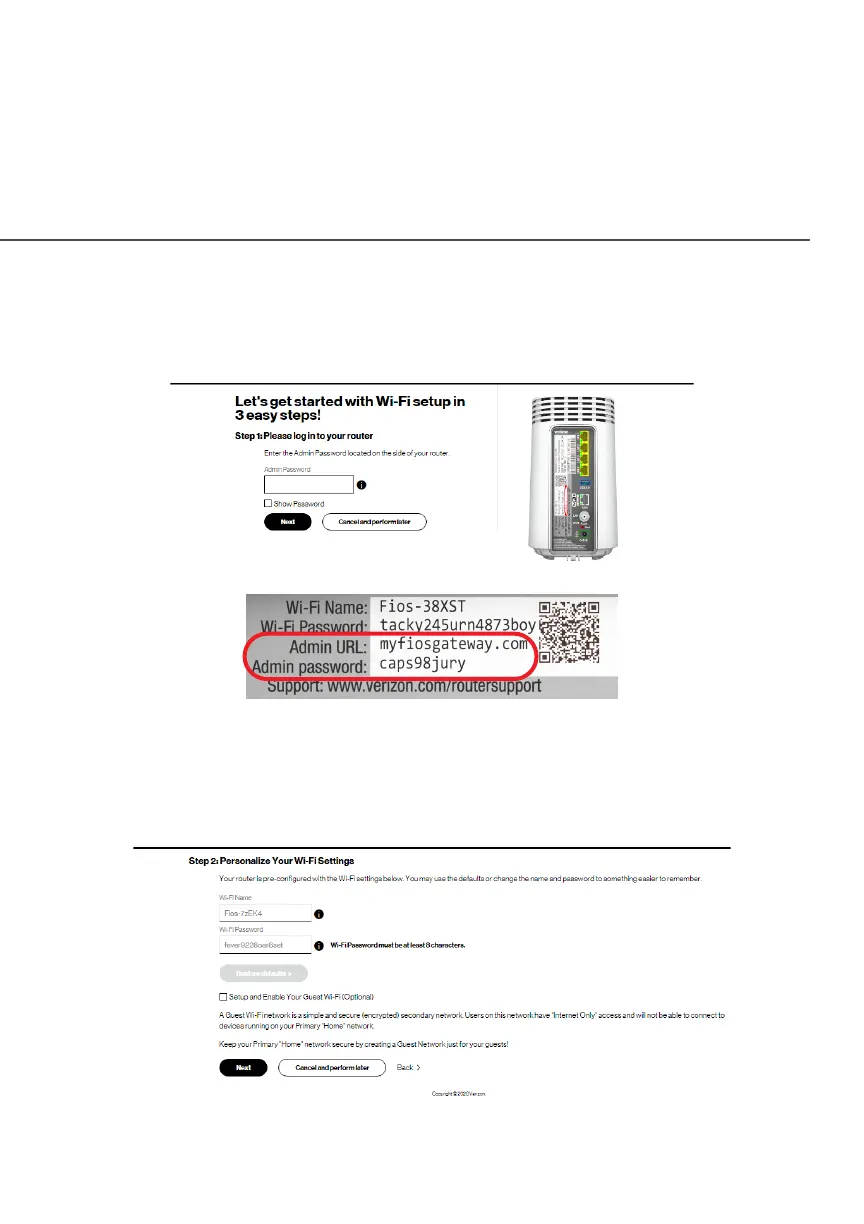
3. On the Step 1: Please log in to your routerStep 1: Please log in to your router screen, enter the
password that is printed next to the Admin password on the
label on the rear of your router.
4. Click NextNext. The Step 2: Personalize Your Wi-Fi SettingsStep 2: Personalize Your Wi-Fi Settings
screen displays. Click on the check box next to Setup and Setup and
Enable Your Guest Wi-Fi (Optional)Enable Your Guest Wi-Fi (Optional) to personalize your
Guest Wi-Fi Name and Password.




















 To Next Page