SETTING UP YOUR FIOS ROUTER
For your protection, your Fios Router is pre-set at the factory to
use WPA2 (Wi-Fi Protected Access) encryption for your Wi-Fi
network. This is the best setting for most users and provides
maximum security.
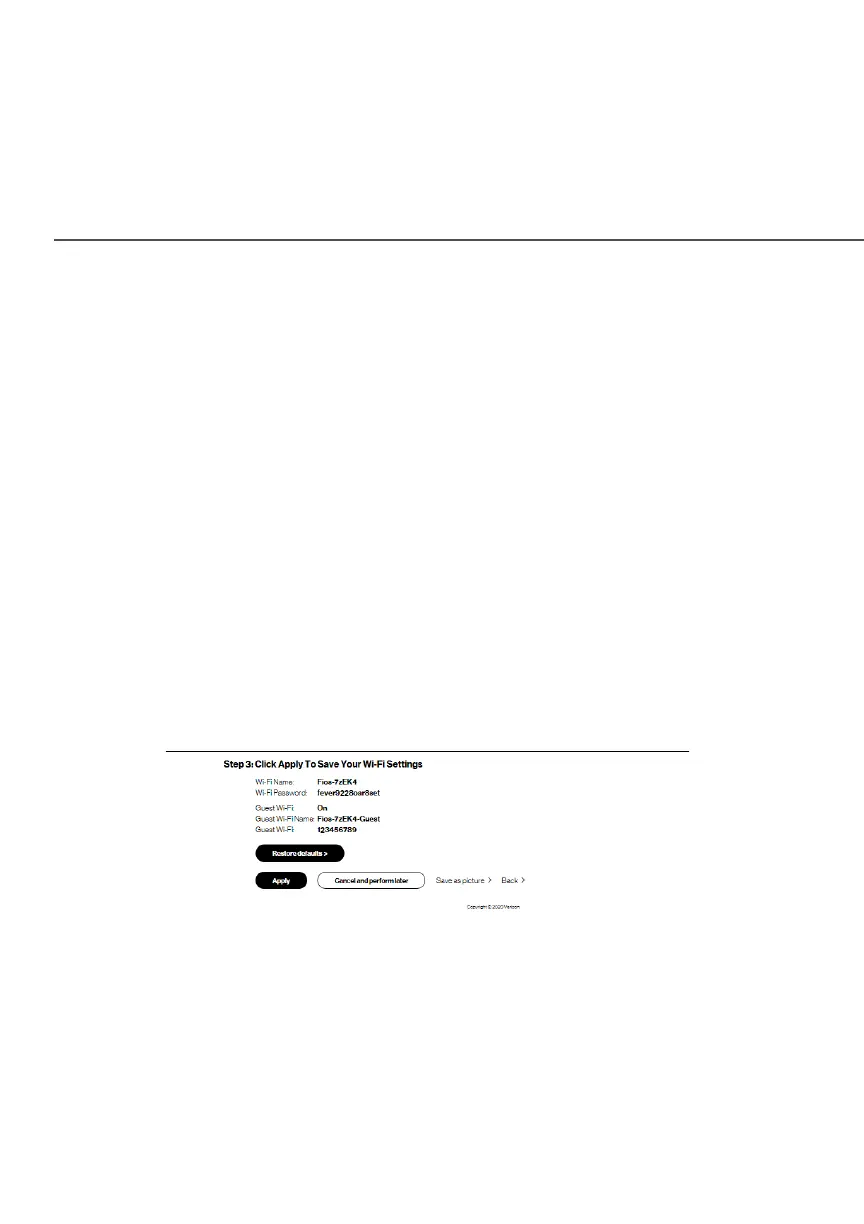
5. Click NextNext. The Step 3: Click Apply to Save Your Wi-Fi Step 3: Click Apply to Save Your Wi-Fi
SettingsSettings screen appears. You have an option of saving the
Wi-Fi settings as an image on your device by clicking the
Save as pictureSave as picture button. After you click Save as pictureSave as picture to
save your Wi-Fi settings as an image, click ApplyApply to save the
Wi-Fi changes to your Fios Router.
Important: If you are on a Wi-Fi device when setting up your
Fios Router, you will be disconnected from the Wi-Fi network
when you change the Wi-Fi name or Wi-Fi password. When this
occurs, your Fios Router will detect this situation and prompt
you to reconnect using the new settings.




















 To Next Page