88
/ CONFIGURING
SECURITY SETTINGS
verizon.com/business/products/fios-internet | ©2020 Verizon. All Rights Reserved
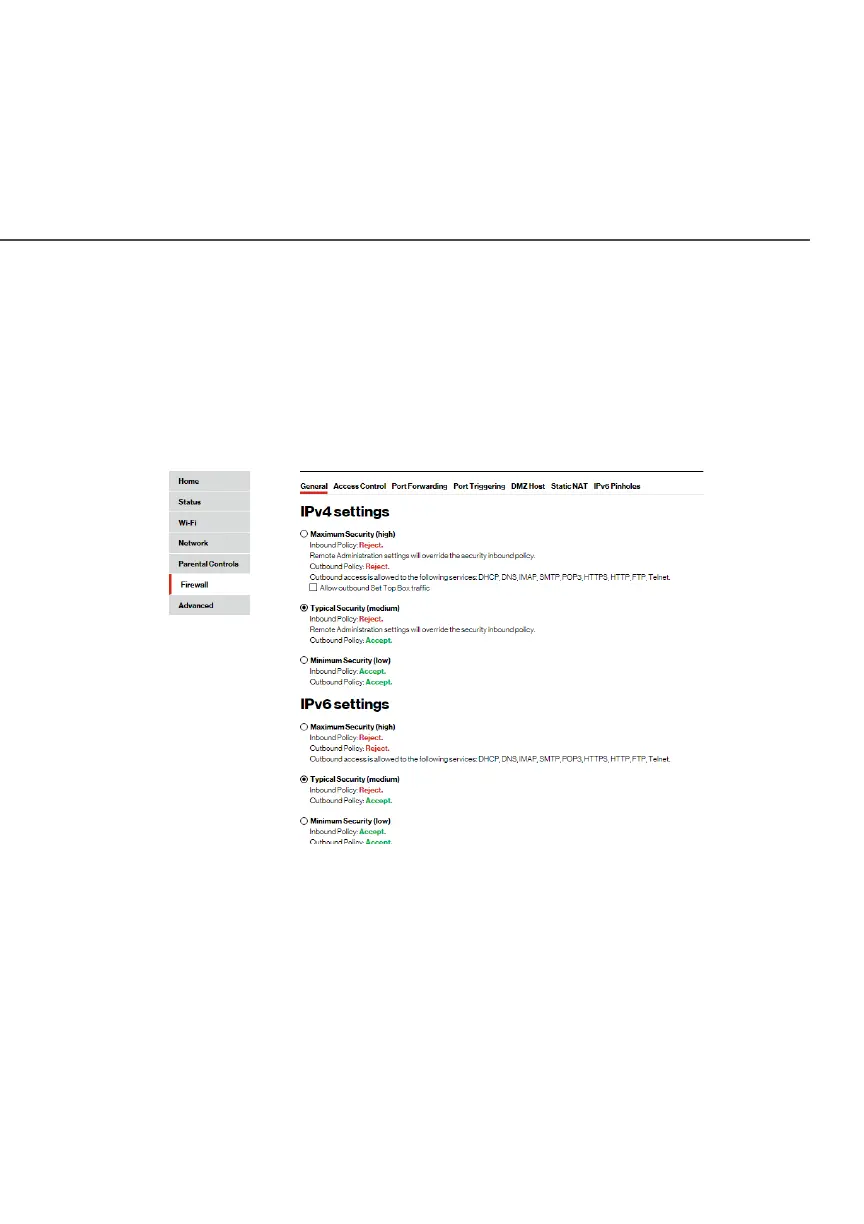
7.0b/ SPECIFYING GENERAL SETTINGS FOR IPV4 OR IPV6
To set your firewall configuration:
1. From the Firewall GeneralGeneral settings page, click on desired
IPv4 settings/IPv6 settingsIPv4 settings/IPv6 settings option to configure IPv4/IPv6
security.
2. Select a security level by clicking one of the radio buttons.
Using the Minimum SecurityMinimum Security setting may expose the local
network to significant security risks, and should only be used
for short periods of time to allow temporary network access.
3. Click ApplyApply to save changes.




















 To Next Page