User Manual MicroDispensing Systems MDS 3010A-FD and MDS 3020A-FD
User Manual MicroDispensing Systems MDS 3010A-FD and MDS 3020A-FD
VTK-TS-MA-032 Revision D 60
10.7. Calibration
The following chapter shows the setting of the heating temperature calibration.
The calibration of the theoretical temperature values is needed to compensate irregular heating temperatures
between different control units.
The heating is calibrated from start up delivery and a new calibration should be done only by professional users
in conversation with Vermes Microdispensing.
The values set by the calibration are saved in the storage of the MDC and are valid until a new setting is done.
The adjustment values can be set in the submenu item “Calibration”.
To get access to the menu “Calibration” you need a pin code witch you can get from Vermes Microdispensing.
The Menu “Calibration” has three submenus:
“Direct Value Input” where you can set the values for “boiling point” and “ice point” directly.
“Value Measurement” where you can collect the values by using a thermocouple.
“Value Verification” where you can control the settings to show you the actual temperature.
Note that before you start the calibration the control unit has to be in a thermal steady state condition.
Therefore it is recommended that you run the MDC with connected heating system for 30 minutes before
calibrating.
VALUE MEASUREMENT:
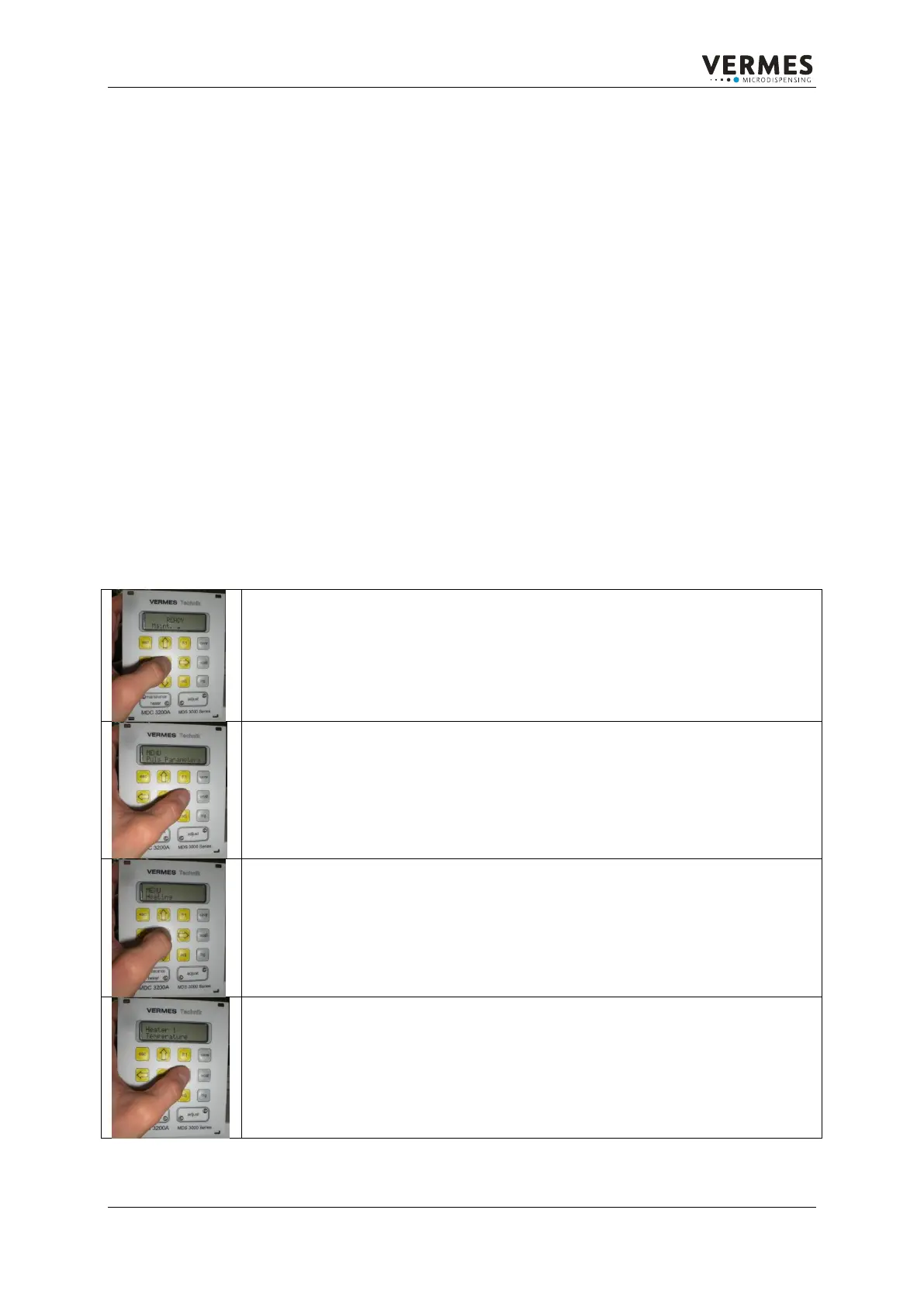
To calibrate press the enter button to reach the first menu area.
Use the arrow keys until you reach the menu item “Heating“.
To enter the “Heater” menu press the enter button.
Once you are in the „Heater” menu, use the arrow keys until you get to
the menu item “Calibration H(eater)1“.


 To Next Page