User Manual MicroDispensing Systems MDS 3010A-FD and MDS 3020A-FD
User Manual MicroDispensing Systems MDS 3010A-FD and MDS 3020A-FD
VTK-TS-MA-032 Revision D 62
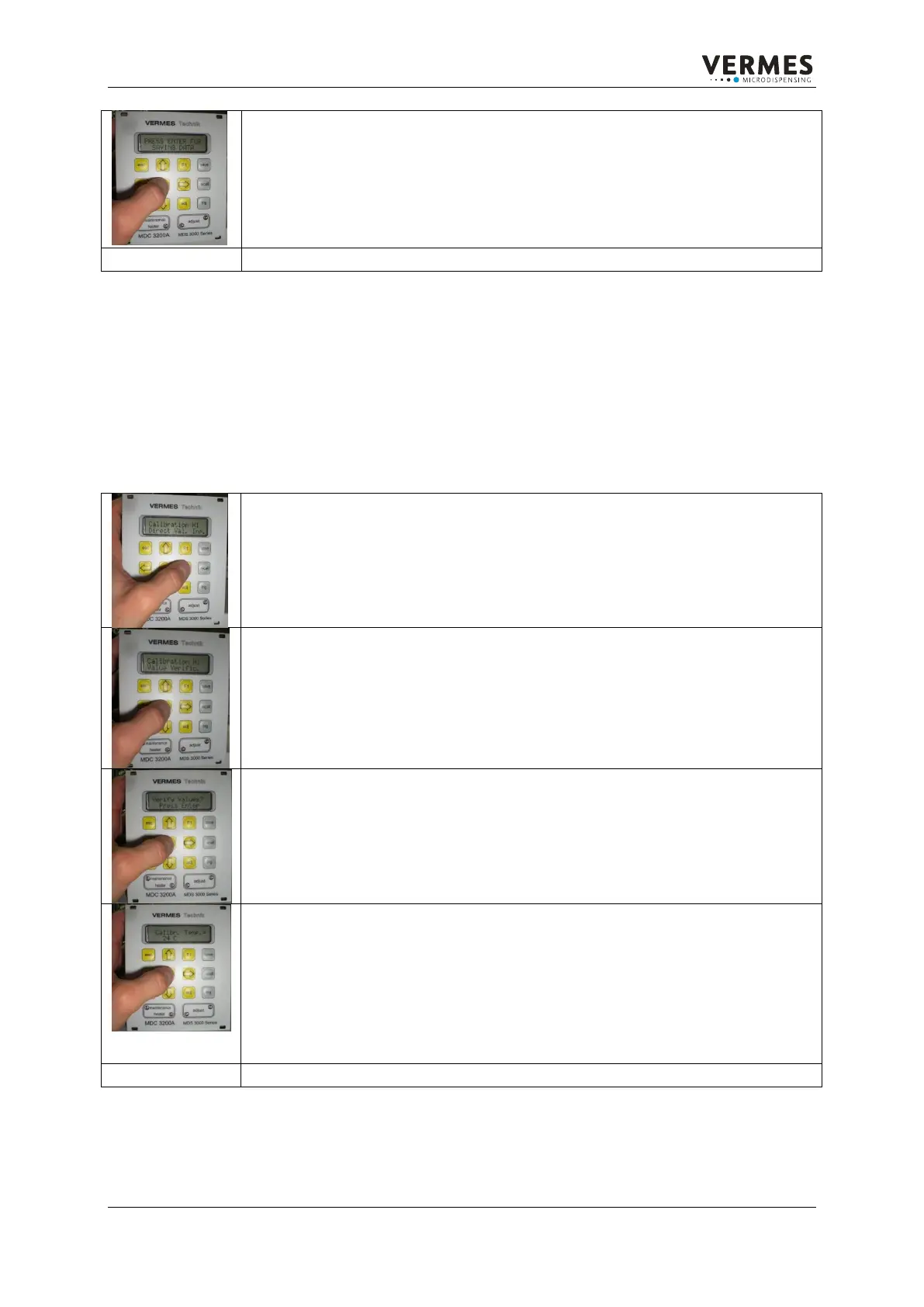
If you have completed all points, save the settings by confirming the
shown message “PRESS ENTER FOR SAVING DATA“ with the enter button.
In case of any problems leave the menu by using the esc button and make
a new calibration.
Leave the menu by pressing the esc button several times.
VALUE VERIFICATION:
This submenu shows the temperature value from the thermocouple, which connects with
the MDC. The temperature value is cleared with the actual calibration data.
Therewith it is possible to estimate the correctness of the calibration data. To get in the
conformable menu follow the same first steps as in “Value Verification”.
After typing in the service code go to the menu “Calibration H1”.
After that use the arrow buttons to go to the menu item “Value
Verification”.
Confirm the menu item „Value Verification” with the enter button.
Confirm the menu item „Verify Values?” with the enter button.
The actual temperature value is shown every time you press the enter
button.
The now shown value is done according to the set calibration values and
therefore it indicates the correct values. A safe estimation could only be
done by measuring two known temperatures.
You can leave the temperature measurement by pressing the ESC button.
Leave the menu by pressing the esc button for several times.


 To Next Page