4 OPERATION AND DISPLAY PANEL
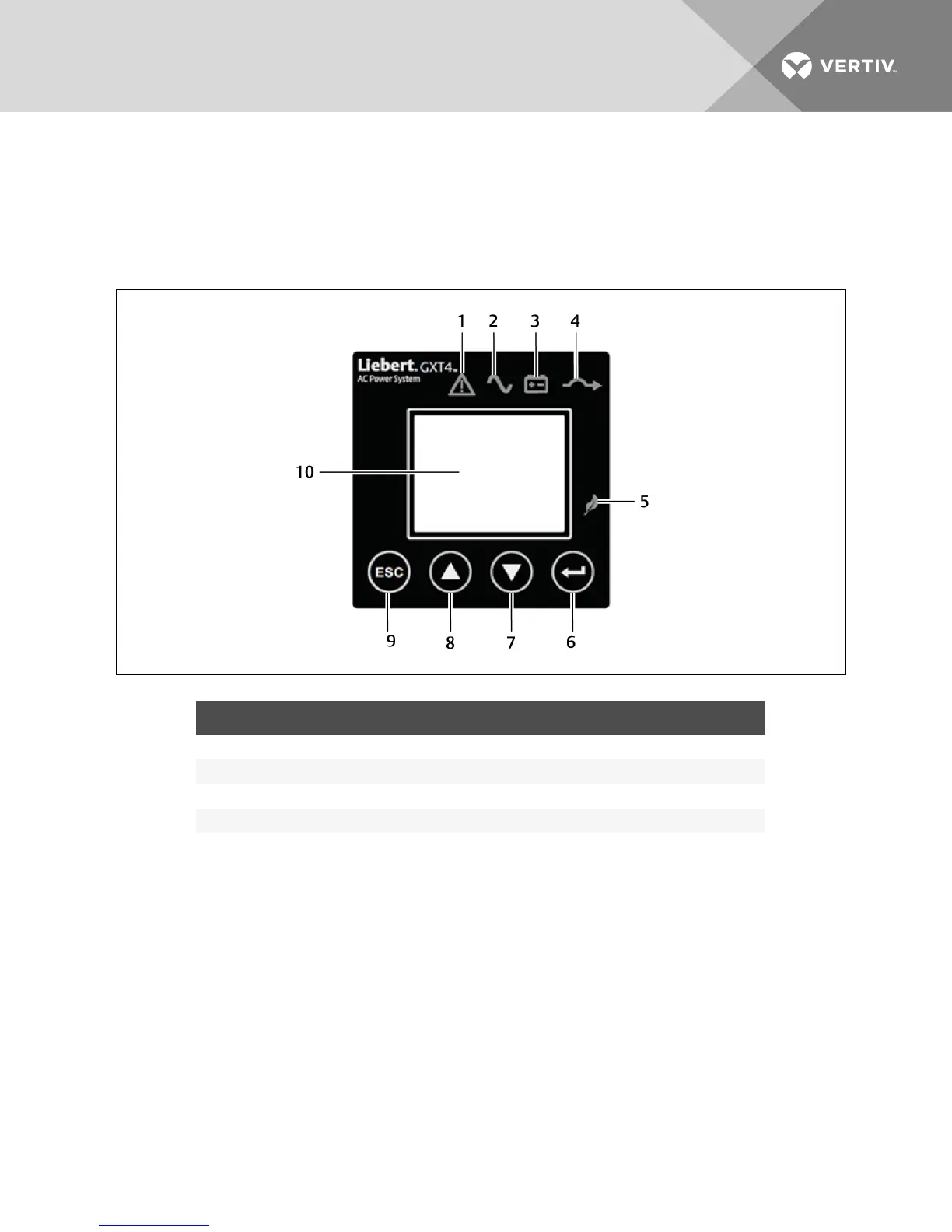
The operation and display panel on the front of the GXT4 has control buttons, LED indicators and a
liquid-crystal display (LCD).
Figure 4.1 Operation and display panel
NO. DESCRIPTION NO. DESCRIPTION
1 Fault indicator 6 Enter button
2 Inverter indicator 7 Down button
3 Battery indicator 8 Up button
4 Bypass indicator 9 Escape button
5 ECO mode indicator 10 LCD panel
4.1 LED Indicators
The LED indicators on the front of the operation and display panel are:
• Inverter
• Battery
• Bypass
• ECO Mode
• Fault
Figure 4.1 above shows the indicators’ locations. Their descriptions and functions are as follows.
Vertiv | Liebert GXT4 Installer/User Guide | 31







 To Next Page