152 Installation
Vertiv™ | Liebert® PSI5 120V Input / 120V Output & 208V lnput / 208V Output Installer/User Guide
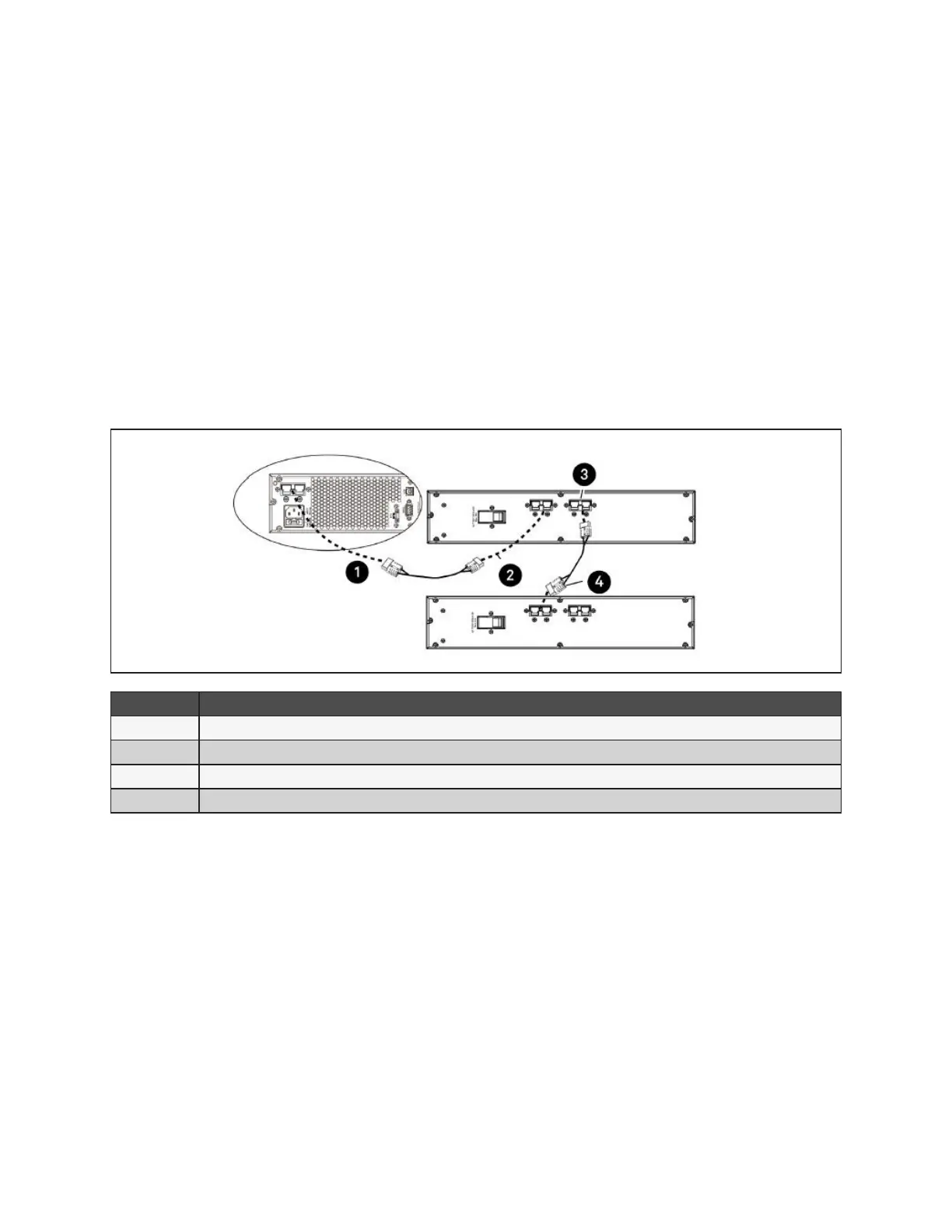
To connect an external battery pack:
1. Connect one end of the external battery cable to the UPS and one end to the battery cabinet as shown
in Figure 2-6 on the facing page.
2. If connecting more than one external battery, connect one end of the external battery cable to the
second connector on the battery cabinet, the connect the other end to the next battery cabinet as
shown in Figure 2-6 on the facing page.
NOTE: After installation and initial startup, set the number of installed battery cabinets in the UPS
Settings.
NOTE: When two or more external battery cabinets are used with PSI5-1100/2200/3000/5000 models,
the UPS load rating is decreased by 20%.
Figure 2-6 Connecting External Batteries
ITEM DESCRIPTION
1 Connection to UPS
2 Connection from UPS to single/rst external battery
3 Connection to second connector on external battery cabinet for additional battery cabinets.
4 Connect to next external battery
2.10 Network Communication Card Connection (Optional)
Advanced monitoring and simple control of the PSI5 can be done with the use of a Vertiv Liebert IntelliSlot
Unity Communications card. Visit www.vertiv. com/intellislot for additional information.
To install the card:
1. Remove the two screws and protective cover on the rear panel network communications port.
2. Insert the card into the port and secure it with the screws. Refer to the documentation with the card or
at the link above for cable connection and operation.










 To Next Page