18 3 Operation
Vertiv™ | Liebert® PSI5 120V Input / 120V Output & 208V lnput / 208V Output Installer/User Guide
3.1.8 Controls
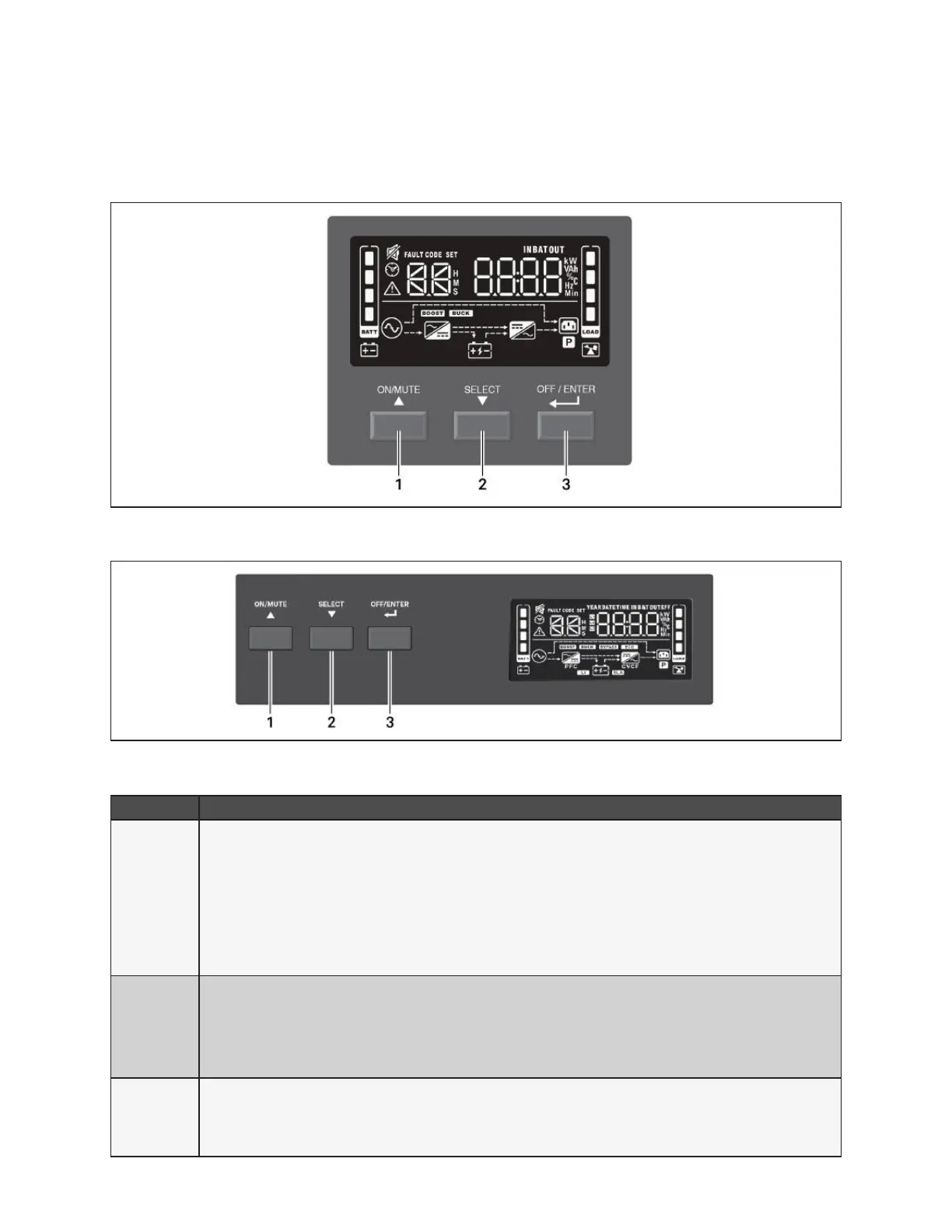
Figure 3-1 Display and Buttons on the front panel of 2U and MT units
Figure 3-2 Display and Buttons on the front panel of 1U units
Table 3-1 PSI5 Button Description
ITEM DESCRIPTION
1
ON/MUTE Button.
• Turn UPS on: When in O mode, press and hold for 2 seconds to enter Battery Self-Test mode, then On
mode.
• Manual Battery Self-Check: When in On mode, press and hold for 3 seconds to temporarily enter Battery
Self-Test mode.
• Mute: When in On/Battery mode, press and hold for 3 seconds
• Settings Menu UP: When in the Settings Menu, press to cycle up through options; See Conguring UPS with
the Settings Menu on page 23.
2
SELECT Button.
• Select: Press to cycle through the operating parameters
• Settings Menu: When in O mode, press and hold for 3 seconds to enter the Settings Menu
• Settings Menu Down: When in Settings Menu, press to cycle down through setting options, See Conguring
UPS with the Settings Menu on page 23.
3
OFF/ENTER Button.
• UPS O: When in On mode, press and hold for 2 seconds to enter O mode.
• Settings Menu Enter: When in the Settings Menu, press and hold to enter setting option, press and hold
again to return to setting number. See Conguring UPS with the Settings Menu on page 23.










 To Next Page