233 Operation
Vertiv™ | Liebert® PSI5 120V Input / 120V Output & 208V lnput / 208V Output Installer/User Guide
3.7 Normal Shutdown
1. Press and hold the power button for 2 seconds. The outlets are turned o.
2. Disconnect AC input power.
3.8 Full Shutdown
1. Press and hold the power button for 2 seconds. The outlets are turned o.
2. Disconnect AC input power
3. Remove the front bezel, disconnect the battery connector and replace the front bezel. The unit is fully
shut down.
3.9 Configuring UPS with the Settings Menu
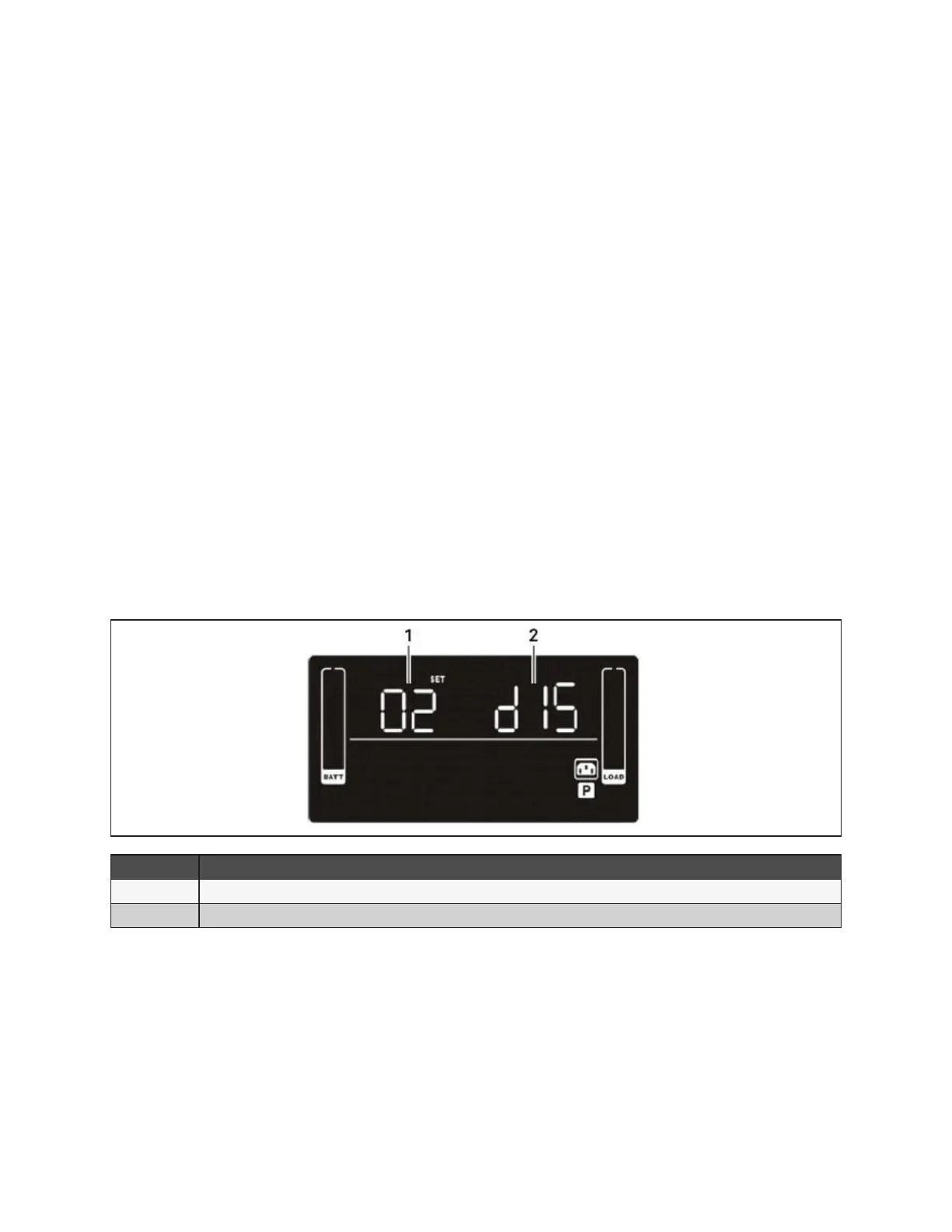
You may adjust several settings to congure the UPS to operate with your equipment In Settings mode, the
UPS displays two parameter elds (see Figure 3-3 below) The rst selects the setting option to congure
and the second lists the selectable parameters for each setting option. Table 3-6 describes the setting
options. In addition, symbols relevant to the setting option may be shown. The symbols are described in
Table 3-2 on page 19.
Figure 3-3 UPS Display In Setting Mode
ITEM DESCRIPTION
1 Setting option number
2 Setting parameter
To access Settings mode and adjust settings:
1. Power o the UPS by pressing the OFF/Enter button for at least 2 seconds.
2. Press and hold the Select button for 3 seconds. Settings mode displays; see Figure 3-3 above.
3. Use the up/down arrow buttons to display the number of the setting function to adjust, then press OFF/
Enter See Table 3-6 on the facing page, for the options.
4. Use the up/down arrow buttons to select the setting, then press OFF/Enter. See Table 3-6 for the
settings.
5. When nished, select setting option 00, and press OFF/Enter to exit Settings mode.










 To Next Page