28 4 Maintenance and Battery Replacement
Vertiv™ | Liebert® PSI5 120V Input / 120V Output & 208V lnput / 208V Output Installer/User Guide
5. For LI models: Attach the provided connector to the replacement battery terminals. Plug the black wire
in rst then the red. For VRLA models: skip this step.
6. Orient the connector and the new battery in the same way as the original battery and slide into UPS.
7. Reconnect the two halves of the battery connector and slide the front panel back on until it clicks.
8. Replace the metal plate and secure with the two screws.
9. Snap the front bezel back on.
10. Press and hold the power button for 3 seconds to initiate the Battery-Self Check mode clearing any
previous battery fault warning.
11. Properly dispose of the old batteries at an appropriate recycling facility or return them to Vertiv™ in the
packing material from the new batteries.
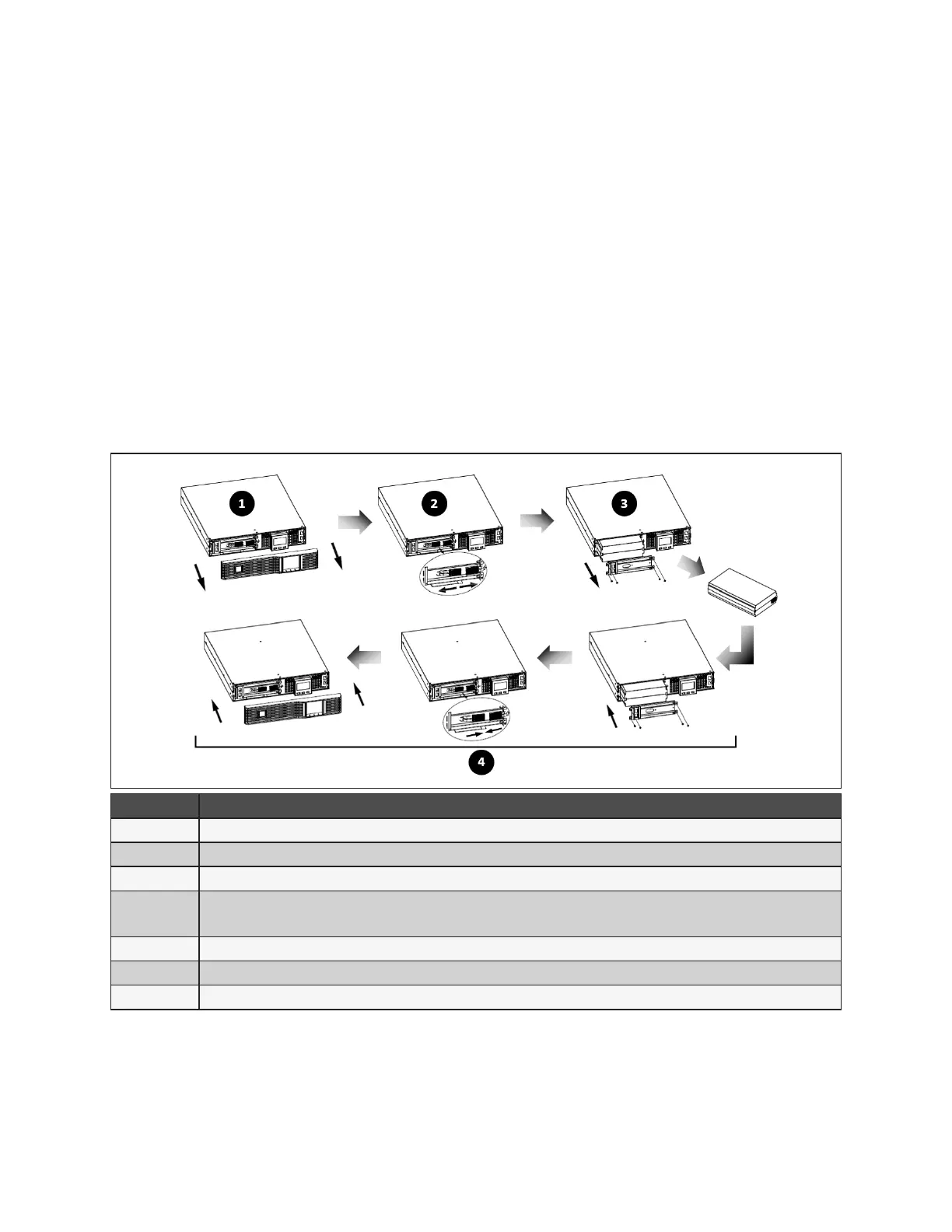
Figure 4-1 Removing the battery box from 2U units to replace batteries
ITEM DESCRIPTION
1 Remove the front panel from the UPS.
2 Disconnect the battery connector by squeezing the ends of the connectors and pulling apart.
3 Remove the 2 screws on the front panel of the battery box, and puII out the battery box.
4 For LI models: attach the provided connector to the replacement battery terminals. Plug the black wire in rst then
the red.
For VRLA models: Skip this step
5 Place the battery box in the UPS, and re-install the front panel of the battery box.
6 Connect the battery wires.
7 Replace the front panel on the UPS.










 To Next Page