30 4 Maintenance and Battery Replacement
Vertiv™ | Liebert® PSI5 120V Input / 120V Output & 208V lnput / 208V Output Installer/User Guide
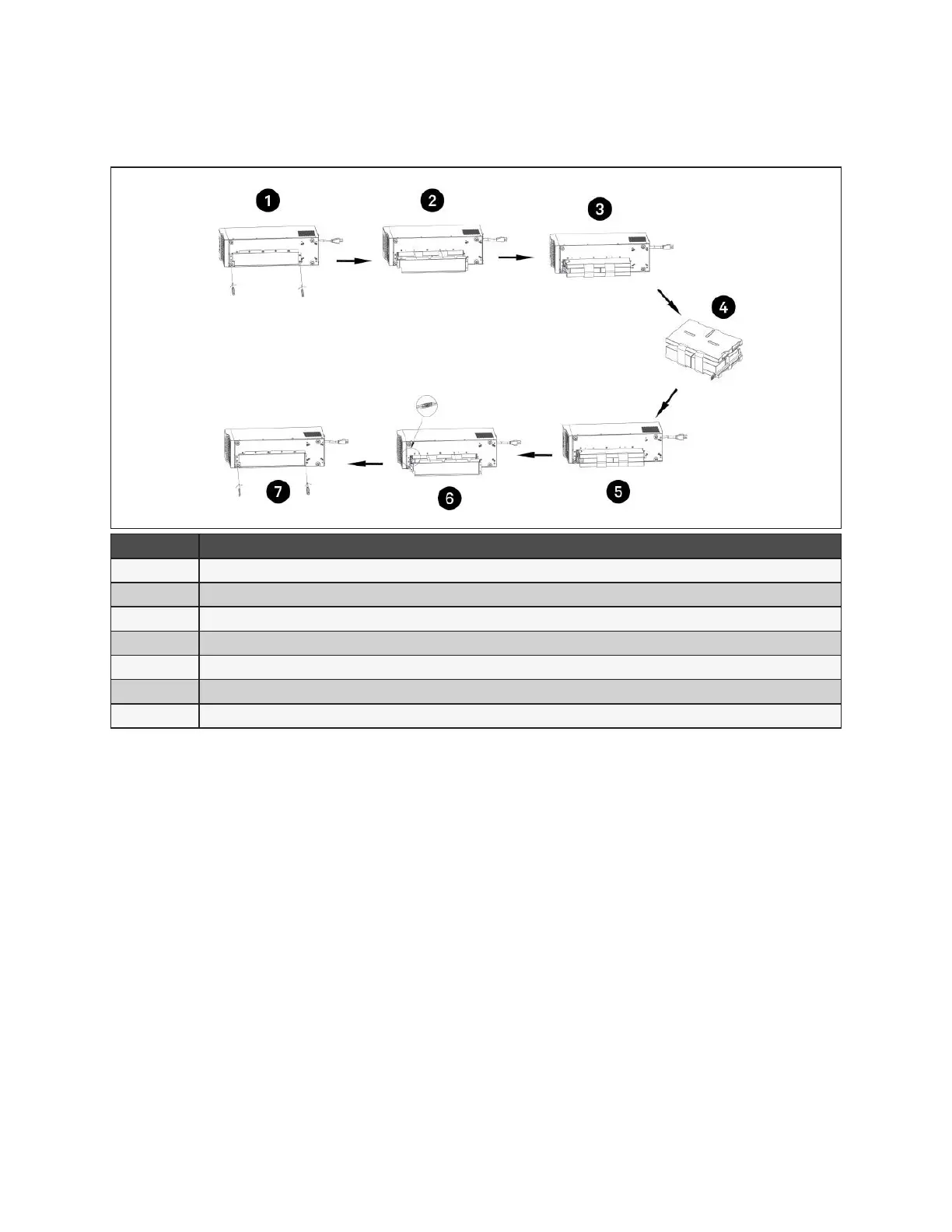
Figure 4-3 Replacing the batteries on MT models
ITEM DESCRIPTION
1 With unit laying on left side, remove screws from battery cover.
2 Remove the battery cover.
3 Slide out the battery kit and disconnect the battery connector.
4 Connect the battery connector to the replacement battery.
5 Slide the replacement battery kit into the UPS.
6 Replace the battery cover.
7 Secure the battery cover with the screws.










 To Next Page