Chapter 3 Web Interface of RDU501
RDU501 Intelligent Monitoring Unit User Manual
Figure 3-145 System Upgrade
Figure 3-145 on the page shown, click the Browse button to choose the upgrade package (.rdu file format) from the
local directory, and then click the Install button to perform the firmware upgrade.
Note
1.
The RDU501 supports the incremental upgrade function.
2.
It is recommended to contact customer service personnel to perform regular system upgrades to ensure safe and stable
operation of the system.
Time Calibration
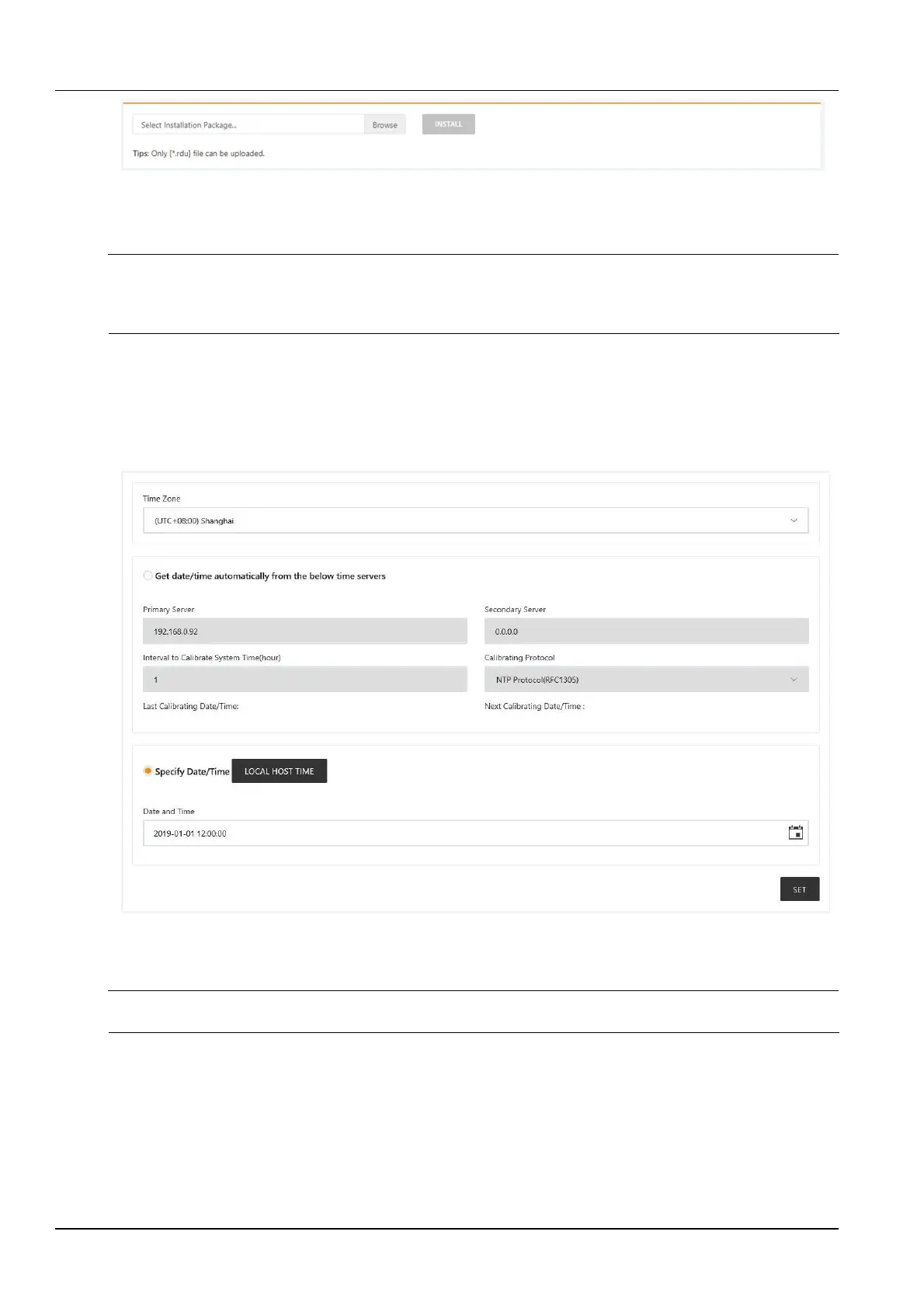
The clock can be calibrated by clicking the Time Calibration submenu under the System Setup menu. The RDU501
can automatically obtain time from the time server. Enter the IP addresses of the primary and secondary servers
in turn, enter the calibration interval, select the time zone, and the timing protocol type, then click the Settings
button to make the settings take effect, as shown in Figure 3-146.
Figure 3-146 Time calibration
The RDU501 can also acquire the local time, select the current calibration time and click the Get Local Time
button to get the local time, then click the Setting button to make the new time take effect.
Note
Time calibration defaults to Use the current time calibration.
Restore default
Click the Restore Default submenu under the System Settings menu to bring up the page shown in Figure 3-147.



 To Next Page