Chapter 3 Web Interface of RDU501
RDU501 Intelligent Monitoring Unit User Manual
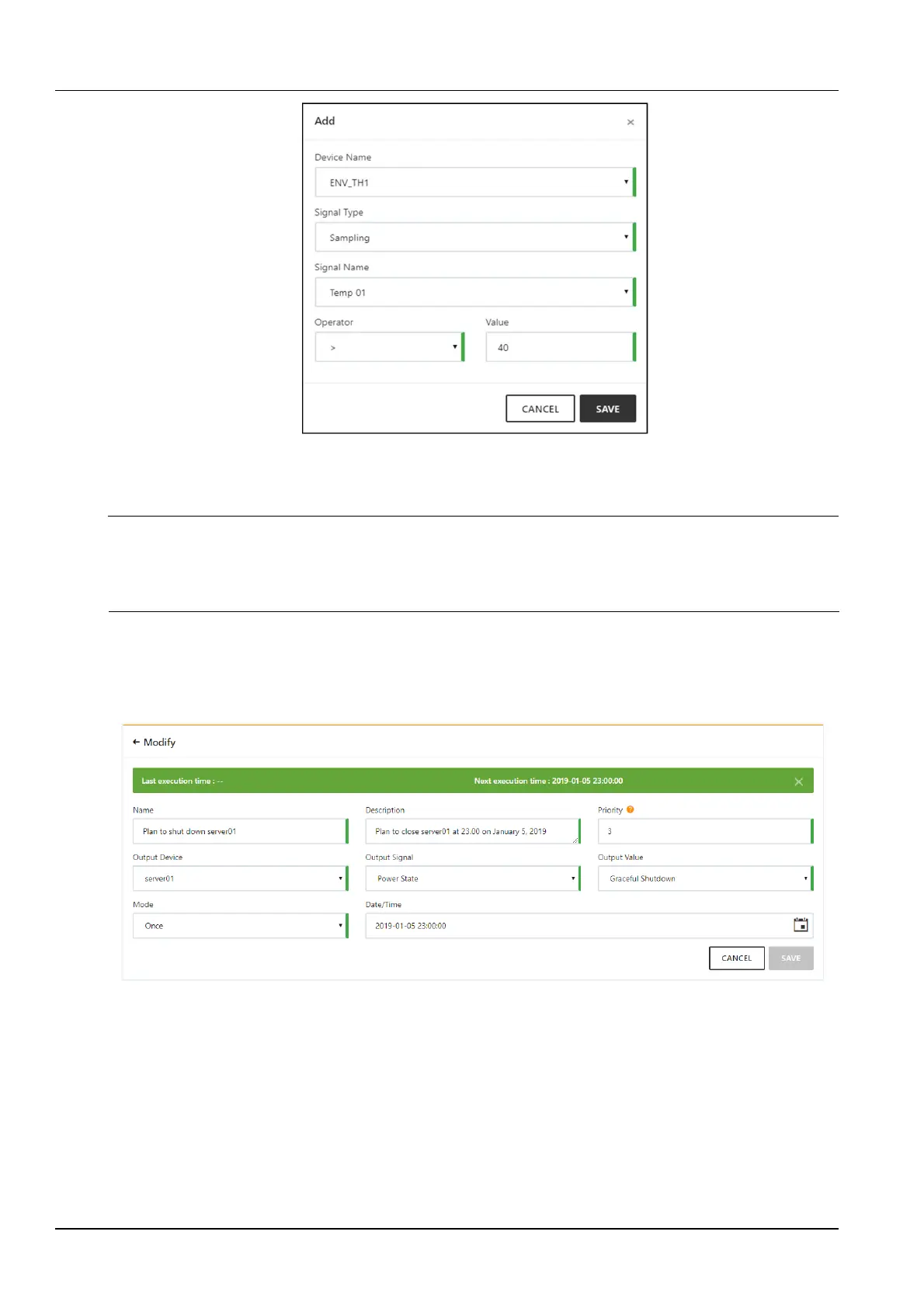
Figure 3-55 Add input conditions
After filling in the basic information and input conditions of the conditional strategy, click the Save button in the lower
right corner of the page. After saving successfully, it will automatically return to the strategy list page.
Note
1.
When the signal type of the input condition selects the acquisition signal, both the operator and value need to be selected.
When the alarm signal is selected, only the value needs to be selected, and the value includes the alarm generation and the alarm
disappearing values.
2.
Supports up to 16 input conditions.
2. Plan strategy
When you click the Add Plan button or modify a plan strategy, you can open the detailed information page for the
plan strategy. The page includes information such as the name, description, and priority of the plan strategy, as
shown in Figure 3-56.
Figure 3-56 Plan strategy detailed information
The modes of the planning strategies fall into three categories: once, daily, and weekly. When the mode is “once”,
you need to select the year, month, day, and hour, minute, and second. When the mode is “daily”, you only need to
select the hour, minute, and second. When the mode is “weekly”, you need to select Week (Monday to Sunday) and
time (hour, minute, second).
After entering the planning strategy information, click the Save button in the lower right corner of the page. After
saving successfully, it will automatically return to the strategy list page.
3.4.4 Thermal management
Teamwork control of air conditioner



 To Next Page