Chapter 3 Web Interface of RDU501
RDU501 Intelligent Monitoring Unit User Manual
The air-conditioning teamwork control function monitors and dispatches each air conditioner participating in the
teamwork control according to certain rules to achieve the purpose of reducing air conditioning energy consumption,
extending the overall life of the air conditioner, and avoiding competition between air conditioners in one team.
In the RDU501 homepage, click on the air-conditioning teamwork control menu on the left side, you can see two sub-
menus, including: running status and teamwork control settings.
1.
Running status
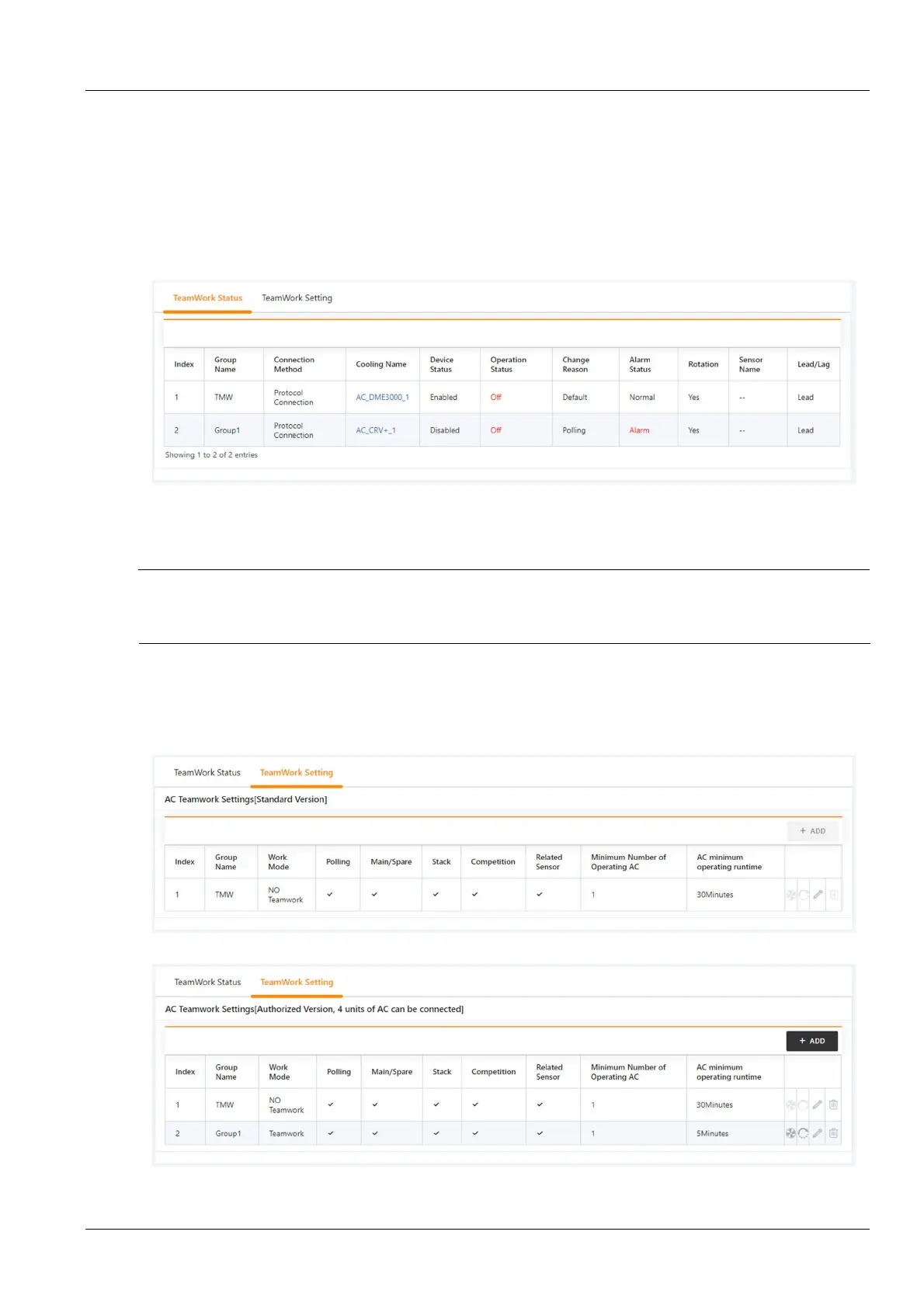
Click the Running status tab under the Air conditioner teamwork control menu to pop up the page shown in
Figure 3-57.
Figure 3-57 Running status page
The Running status page shows the main operating parameters of the air conditioner in all air conditioner groups.
2.
Teamwork control settings
Note
The air conditioner teamwork control function of the RDU501 is divided into two versions: standard version and authorized
version. The standard version has the air conditioner teamwork control function configured by the RDU501 standard software;
the authorized version is the software version after the user separately purchases and installs the authorization code.
1)
Teamwork control parameter setting
Click the Teamwork Control Settings tab under the air conditioner teamwork control menu to pop up the teamwork
control parameter setting page. The standard version is shown in Figure 3-58, and the authorized version is shown in
Figure 3-59.
Figure 3-58 Teamwork control parameter setting page (standard version)
Figure 3-59 Teamwork control parameter setting page (authorized version)



 To Next Page