Chapter 3 Web Interface of RDU501
RDU501 Intelligent Monitoring Unit User Manual
The description of the RDU501 teamwork control function is as follows:
The standard version only supports 1 air conditioning group. The default is [1] TMW. The addition and deletion
teamwork functions are not provided and the group name cannot be changed. The authorized version is not subject
to this restriction.
In the authorized version, click the Add button to add a new air conditioning group. After completing the group
parameter configuration, click the Save button to save the settings. At this time, the added group will appear in the air
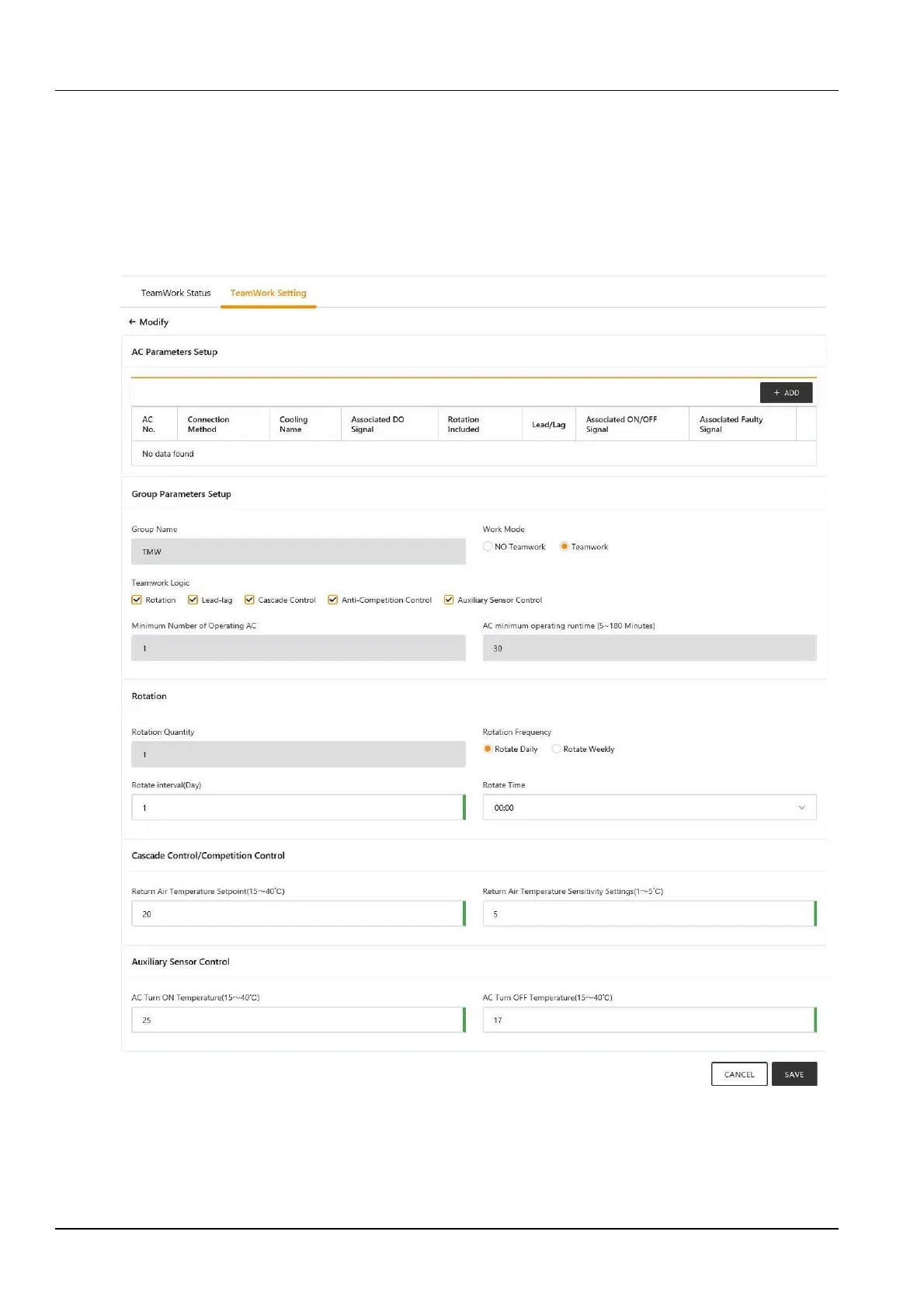
conditioning group list on the parent page. The standard revision editing interface is shown in Figure 3-60. The editing
interface is shown in Figure 3-61.
Figure 3-60 Teamwork control parameter setting page (modified standard version)



 To Next Page