Chapter 3 Web Interface of RDU501
RDU501 Intelligent Monitoring Unit User Manual
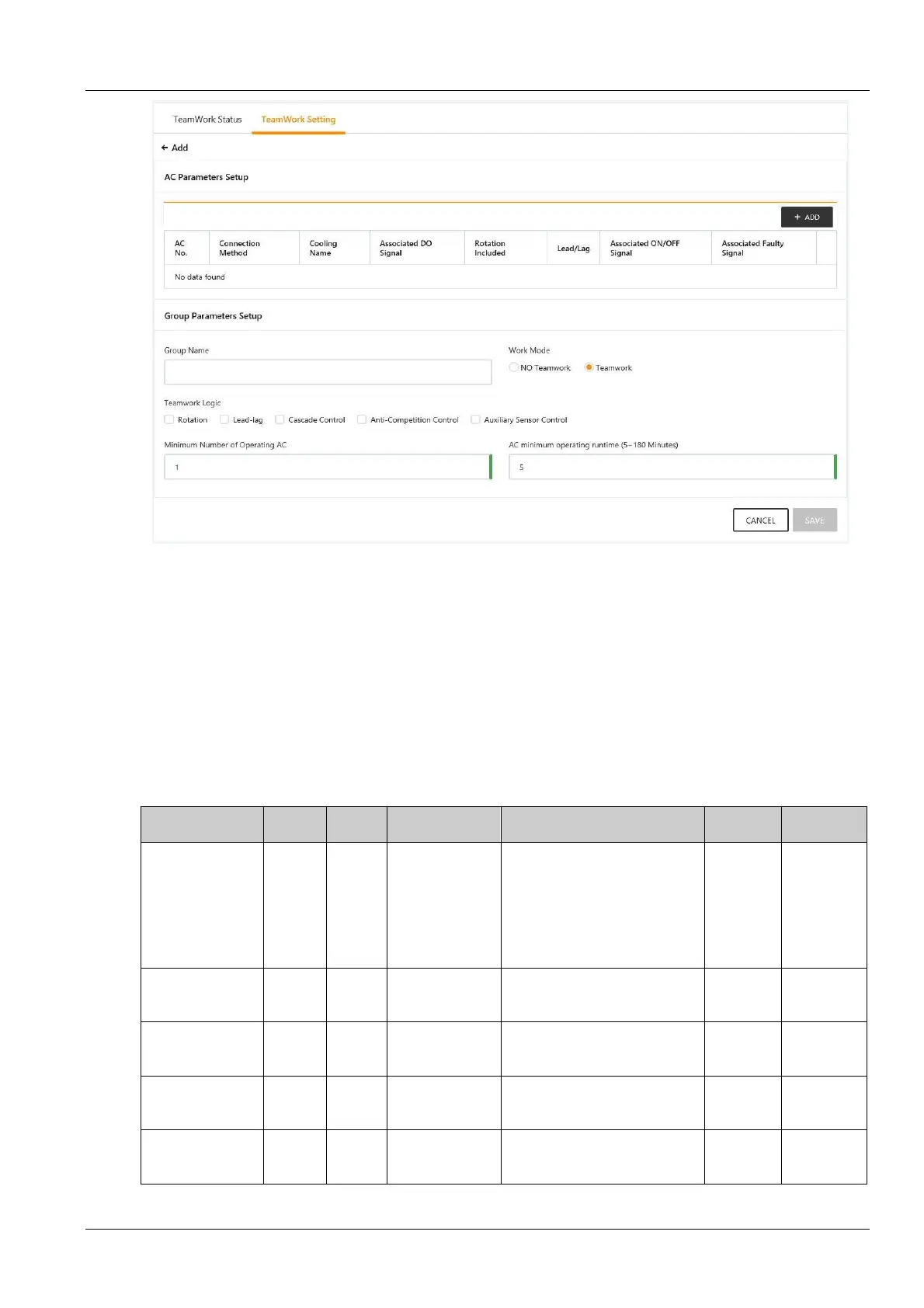
Figure 3-61 Teamwork control parameter setting page (added)
The parameter description of the group parameter setting page is shown in the table below.
Add, modify or delete the air conditioner in the group on the air conditioner parameter setting page, please refer to 2)
air conditioner parameter setting in this section;
In the authorized version, selecting the Air Conditioner Group that needs to be modified in the air conditioner group
list is similar to the step of adding a group, modify the teamwork parameters on the teamwork parameter setting
page, set the air conditioner parameters in the group on the air conditioner parameter setting page, and complete the
modification. After that, click the Save button to save the settings;
In the authorized version, select the Air Conditioner Group that needs to be deleted in the air conditioner group list,
click the Delete button to save the settings.
Table 3-3 Teamwork control parameter settings
parameters
value
limit
High limit Remark
version
version
Teamwork mode
Single
unit
Single
unit(0)
Teamwork
control mode(1)
conditioners in the group operate
separately;
Teamwork control mode(1) : The
air conditioners in the group
participate in teamwork logic
operations
√
√
of running air
conditioners
1
1
teamwork air
conditioners
/
√
time of air
conditioner
30
5
180
Unit: Min
√
temperature set
point
20
15
40
Unit: ˚C
√
√
temperature
deviation setting
5
1
5
Unit: ˚C
√
√


 To Next Page