Chapter 3 Web Interface of RDU501
RDU501 Intelligent Monitoring Unit User Manual
parameters
value
limit
High limit Remark
version
version
Number of
rotations
1
1
teamwork air
conditioners
Smaller value between the number
of running units and the number of
standby units
√
mode
By day By day, by week / √ √
Rotating time span
1
1
7
Monday, Tuesday, Wednesday,
Thursday, Friday, Saturday,
Sunday
√
√
rotation
No No Yes Used for commissioning √ √
conditioner status
No No Yes Initialize air conditioner status √ √
temperature
25 15 40
√ √
temperature
17 15 40
√ √
Note: “√” means the version selected can be configured; button for “One time manual rotation” is , button for “Reset air
conditioner status” is , see Figure 3-58 and Figure 3-59 for the teamwork control setting page.
Note
1.
If you need an authorized version of RDU501, please contact Vertiv Customer Service Center for purchase.
2.
The standard version only supports 4 air conditioners by default, including Vertiv DME series air conditioner and SmartRow
V2 built-in air conditioner.
3.
The RDU501 supports up to 8 groups.
2)
Air conditioner parameter setting
In the air conditioner parameter setting page, the user can add, modify and delete the air conditioner in the group.
Click the Add/Modify In Row button in the air conditioner list to pop up the Edit Air Conditioner Parameters page.
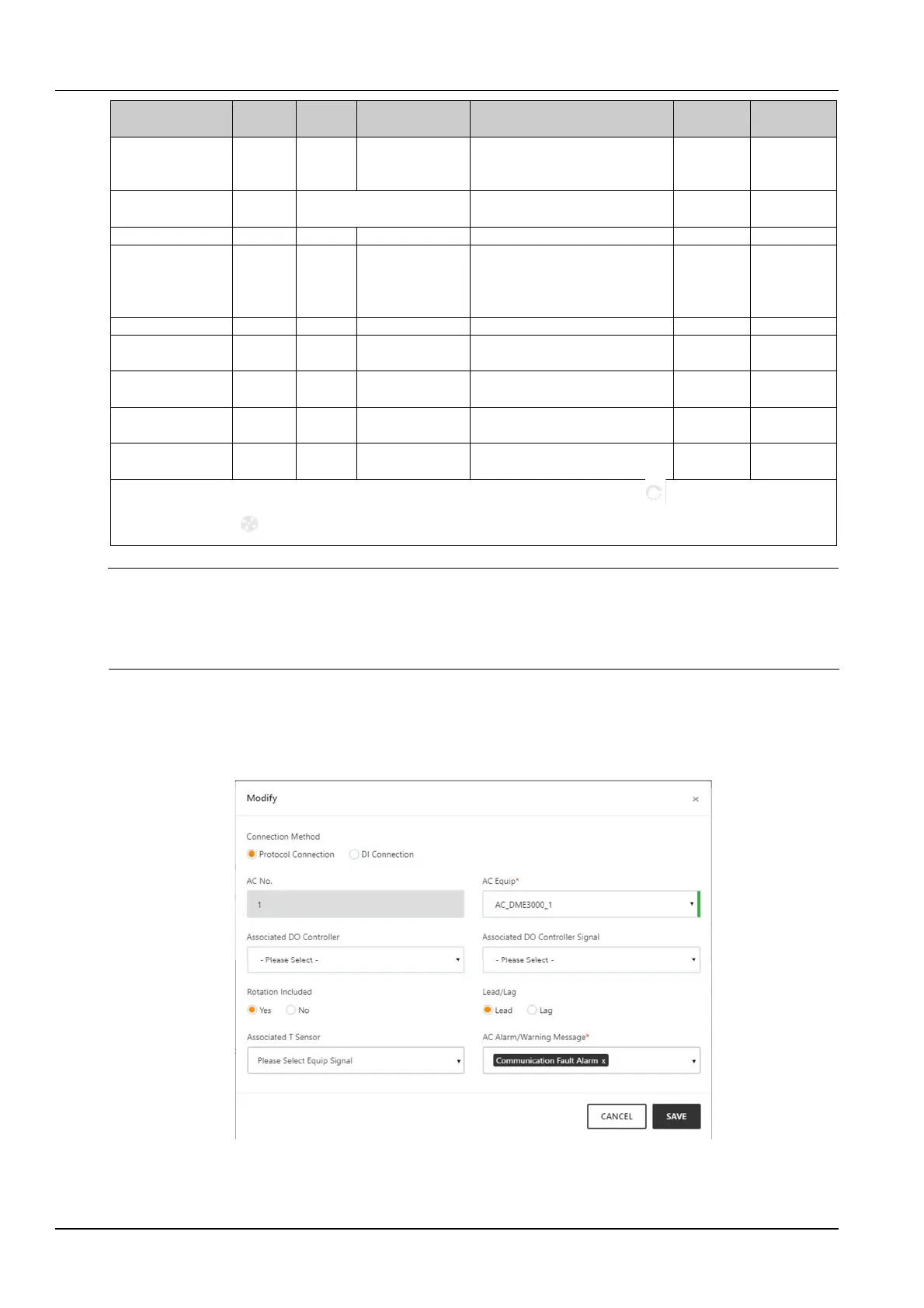
The protocol connection interface is shown in Figure 3-62. The DI connection interface is shown in Figure 3-63.
Figure 3-62 Add / modify air conditioner page (protocol connection)


 To Next Page