Chapter 3 Web Interface of RDU501
RDU501 Intelligent Monitoring Unit User Manual
2.
SNMP MIB export
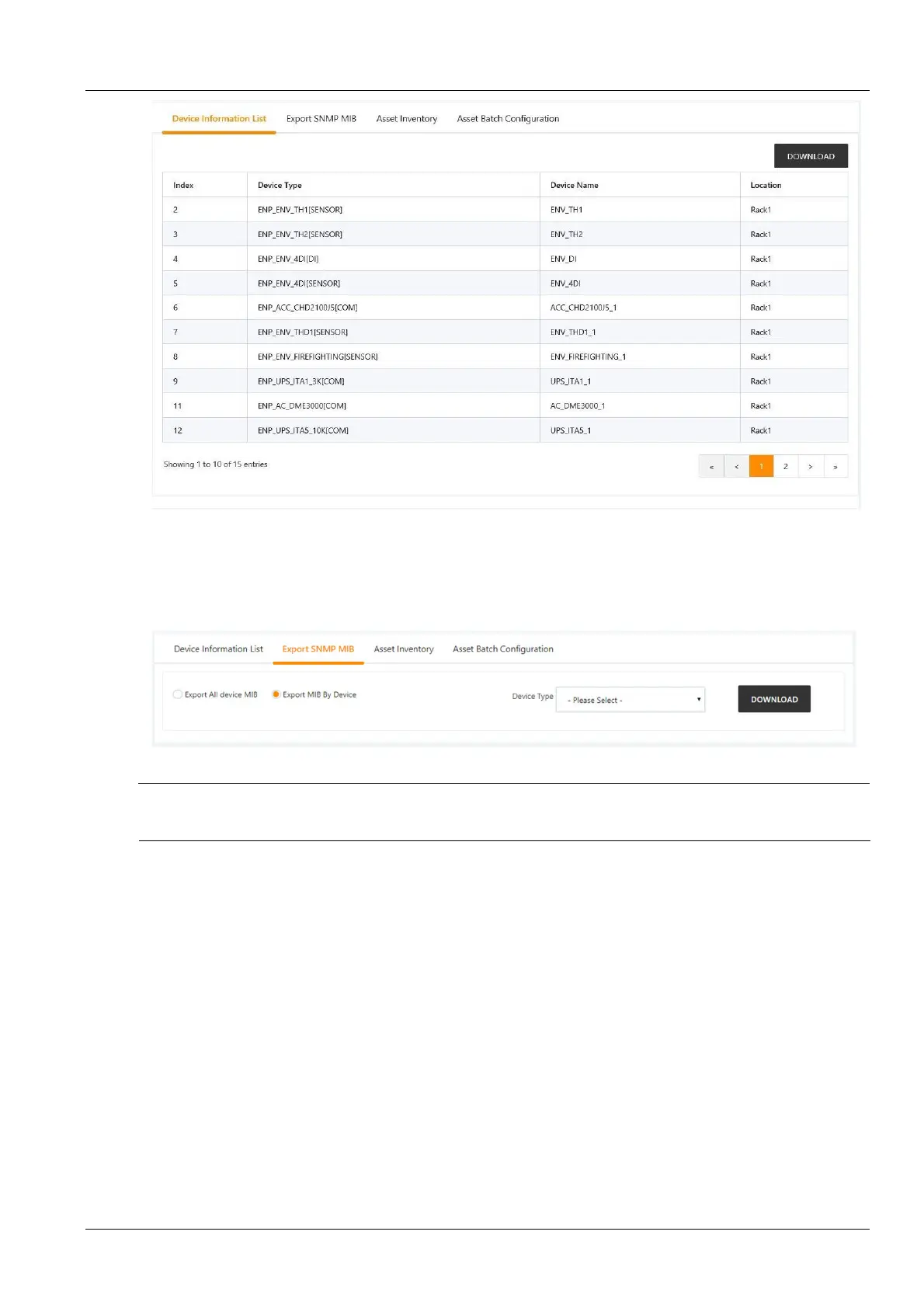
Figure 3-73 Device information list
As shown in Figure 3-74, you can choose to export all device MIB information or export MIB information according to
the device type. After selecting it, click the Download Device Information button to complete the MIB information
export.
Figure 3-74 SNMP MIB export
Note
If the SNMP service authorization is not obtained, the SNMP MIB export page will not be displayed. To obtain the SNMP
service authorization, please contact the Vertiv Customer Service Center to purchase.
3.
Asset information
Click the Device Data submenu under the Data Management menu, and then click the Asset Information tab to
bring up the page shown in Figure 3-75.
You can view all asset information under the current RDU501, select the query type, and enter the query conditions
to view all eligible asset information.



 To Next Page