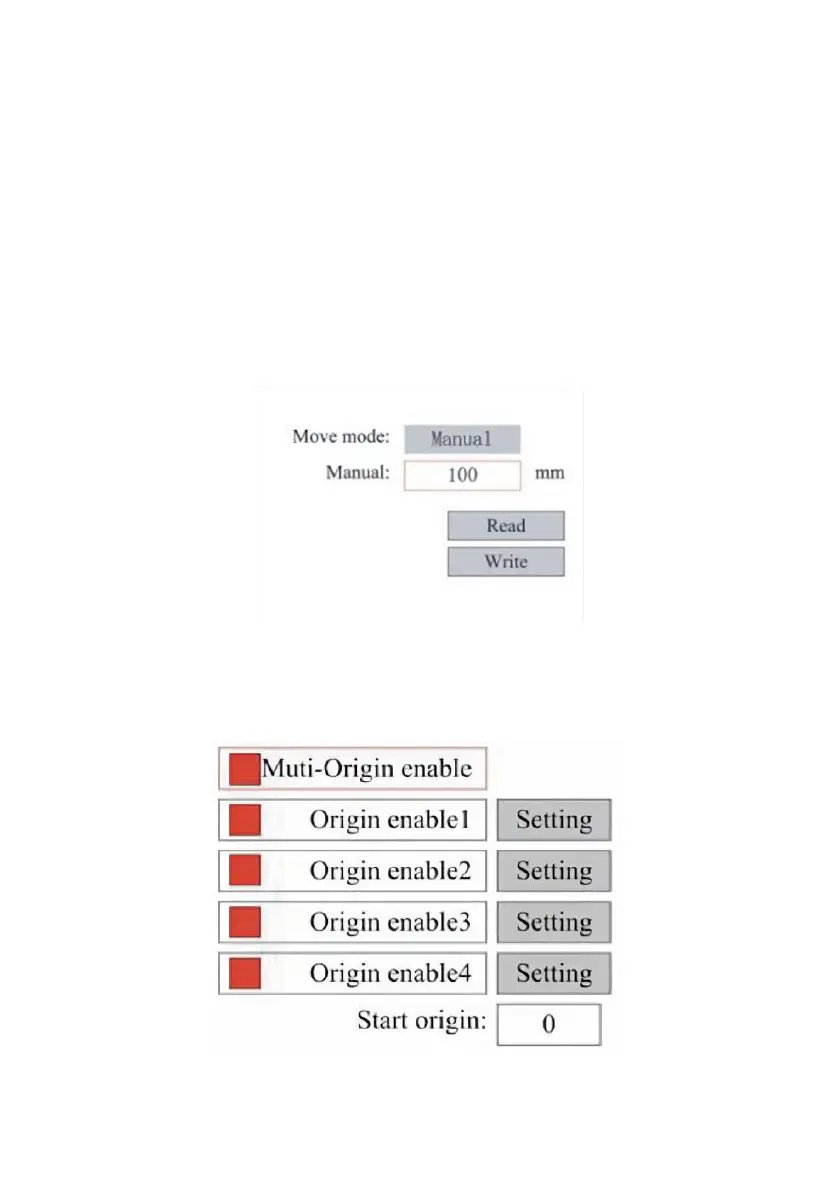
ADJUST THE LASER MOVEMENT MODE.
When you select Manual Settings, press ENT, and the left side will be
displayed:When the movement mode is "Continuous", the manual jog
parameter does not work. When used to manually move the laser head,
the arrow keys move it continuously until released. When the movement
mode is "Jog", each time the arrow keys are pressed, the laser head will
move precisely the distance saved in this parameter. Use the Direction and
ENT keys to adjust up or down. When you're done making adjustments,
save them by selecting the ENT key to write or pressing the ESC key to
leave without saving the changes. Reading can load saved parameters.
SET THE ORIGIN.
When the box is pressed on the origin set, press ENT, and the left dialog
box will pop up:
Press FN to select an item. After selecting Multi-Source Enable, press ENT
to enable or disable the item. When enabled, the small box will be red, and



 To Next Page