Operation
49
Setting
Conditioner plate
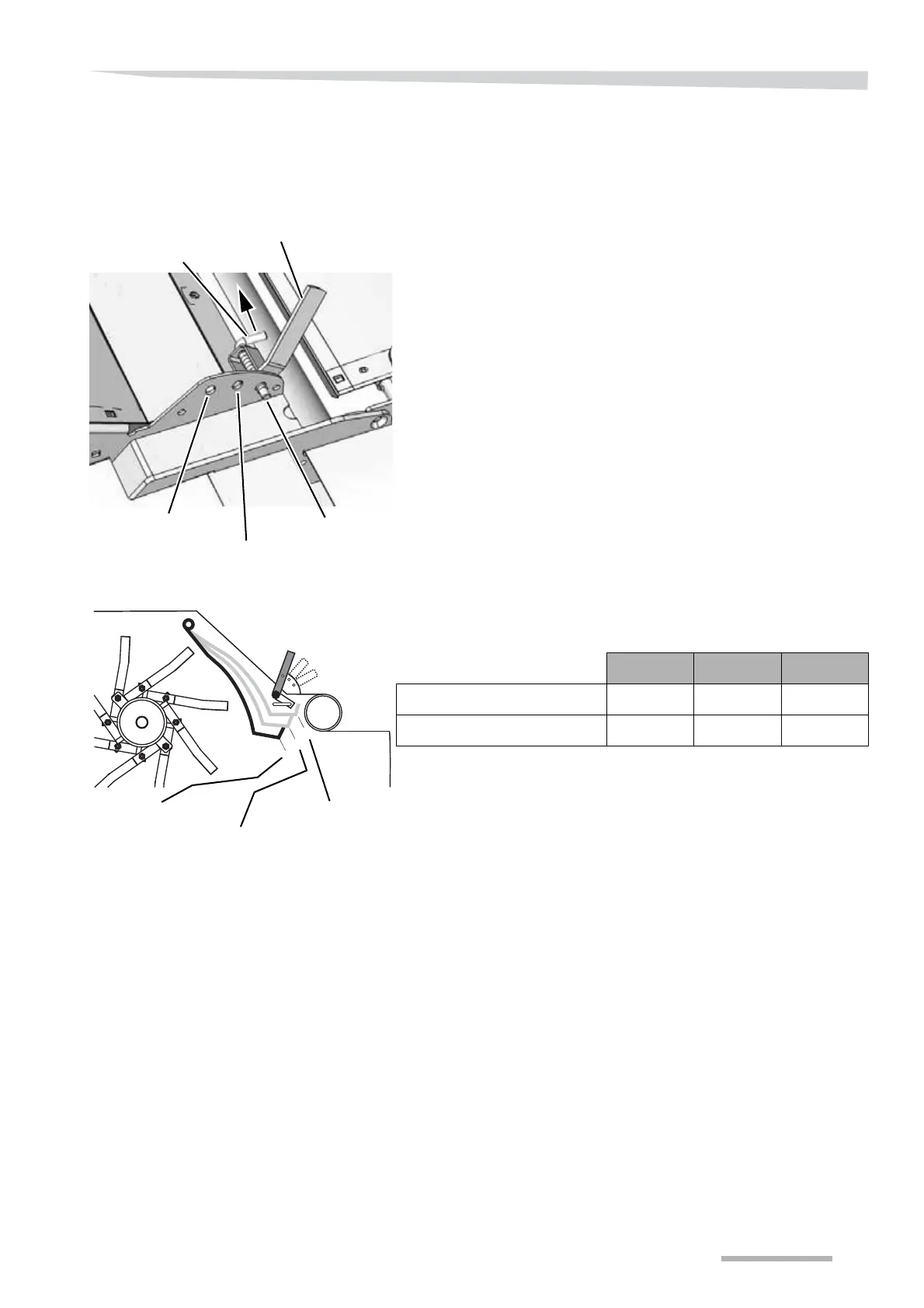
The conditioner plate can be set in 3 positions with a handle in the
right-hand side of the machine.
The conditioner plate is adjusted as follows:
> Pull out the lock.
> Move the handle to the desired position.
> Release the lock.
> Check that the handle is locked in the desired position.
The setting can be adjusted to suit the crop using the following
settings:
NB
The diagram is only given as a guide
NB
The rotor's rpm also has an influence on the condition of the crop, the
conditioning, and the crop throwing distance.
»Rotor« page 50
Pos. I Pos. II Pos. III
Conditioning of crop Light Moderate Heavy
Crop throwing distance Short Moderate Long
Pos. I
Pos. II
Pos. III
Lock
Handle



 To Next Page